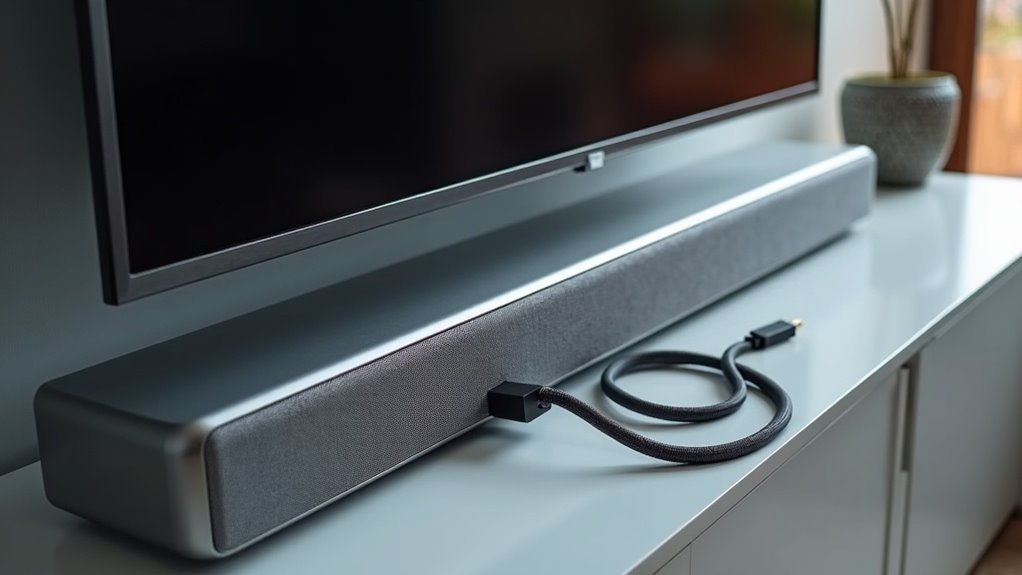
Soundbars utilize HDMI ARC to simplify your audio setup while enhancing sound quality. By connecting your soundbar to your TV with a single cable, HDMI ARC streamlines your connections and reduces clutter. This technology enables two-way audio transmission, allowing you to control your soundbar’s volume and power using your TV remote. Additionally, it supports high-definition audio formats for an exceptional listening experience. Explore setup tips and troubleshooting to maximize your soundbar’s performance.
Key Takeaways
- Soundbars utilize HDMI ARC to transmit high-definition audio and video signals through a single cable, which simplifies connections in your entertainment setup.
- With HDMI ARC, there’s two-way communication, allowing you to control the soundbar’s volume and power using your TV remote for added convenience.
- This technology supports immersive audio formats like Dolby Atmos, enhancing your overall sound experience while watching movies or playing games.
- By reducing cable clutter, HDMI ARC helps create a more streamlined and organized entertainment environment.
- To maximize functionality and convenience in your audio-visual systems, it’s essential to ensure compatibility with ARC-labeled HDMI ports.
Understanding HDMI and Its Importance
While you may already know that HDMI (High-Definition Multimedia Interface) is essential for modern audio-visual setups, its significance is particularly pronounced when it comes to soundbars.
HDMI simplifies the connection of new TVs and soundbars by transmitting high-definition video and audio signals through a single cable. This technology supports multi-channel audio formats, enhancing your surround sound experience when paired with a soundbar.
Additionally, HDMI ARC (Audio Return Channel) allows audio signals to flow back to your soundbar, reducing cable clutter and improving overall sound quality.
With features like remote control functionality and automatic device switching, HDMI ARC streamlines your interaction with multiple devices, ensuring a more efficient and user-friendly setup for your soundbar system.
What Is HDMI ARC and How Does It Work?
HDMI ARC, or Audio Return Channel, is a game-changer for soundbar users, transforming how audio is transmitted between your TV and soundbar.
This technology enables digital audio signals to flow both ways through a single HDMI cable, simplifying connections and minimizing clutter in your entertainment setup.
This innovative technology allows audio signals to travel both ways through one HDMI cable, reducing clutter and simplifying your setup.
With TV models featuring compatible ARC-enabled HDMI ports, you can effortlessly send high-quality audio output to your soundbar while also receiving control signals.
This means you can enjoy immersive multi-channel audio formats like Dolby Digital, significantly enhancing your sound experience without the hassle of extra remotes or cables.
Plus, with the convenience of using your TV remote, managing your soundbar’s volume and power becomes a seamless part of your audio journey.
Benefits of Using HDMI ARC With Soundbars
Utilizing HDMI ARC with your soundbar offers a range of advantages that can greatly enhance your audio experience.
This technology allows you to connect your soundbar to the TV using a single HDMI cable, simplifying connections and reducing cable clutter.
With HDMI ARC, you can enjoy high-quality audio formats like Dolby Atmos, delivering superior sound compared to traditional optical connections.
It also enables two-way communication, letting you control the soundbar’s volume and power through your TV remote, adding convenience to your audio system.
Setup and Compatibility Considerations
Connecting your soundbar through HDMI ARC simplifies the overall setup and enhances compatibility with your existing devices.
Ensure both your TV and soundbar have HDMI ports labeled as ARC for optimal two-way communication. HDMI ARC is backward-compatible with standard HDMI connections, allowing you to connect older devices without the need to upgrade cables.
Ensure your TV and soundbar feature HDMI ARC ports for seamless two-way communication, while still supporting older device connections.
Enabling CEC (Consumer Electronics Control) enhances compatibility, enabling you to control the soundbar using your TV remote. It’s important to check your device manuals to confirm ARC compatibility and adjust audio settings for the best digital audio experience.
This straightforward setup minimizes cable clutter while maximizing functionality and convenience, making it an ideal choice for any soundbar enthusiast.
Troubleshooting Common HDMI ARC Issues
Have you ever encountered issues with your soundbar not working properly through HDMI ARC?
Start troubleshooting by verifying that both your TV and soundbar have ARC-enabled HDMI ports and that the HDMI cable is securely connected to the correct ports.
Next, check the settings on your soundbar and the TV to enable ARC functionality, as it mightn’t be activated by default.
Don’t forget to enable CEC for better communication between your devices.
If problems persist, restart all connected devices to reset the HDMI connection.
Finally, test with a different HDMI cable to rule out cable-related issues and ensure your soundbar is producing audio correctly.







