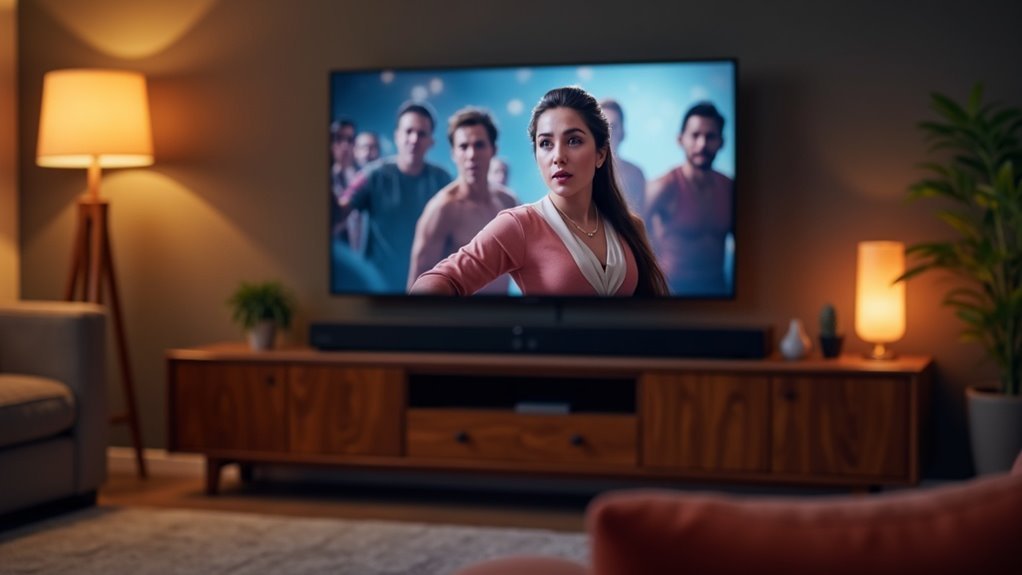
Soundbars often lose lip sync due to audio processing delays caused by various factors. Advanced audio formats like DTS or Dolby Digital can introduce lag during decoding. Additionally, motion smoothing features on TVs and the use of HDMI ARC can exacerbate sync issues. When using non-brand matched devices, the problem can become even more pronounced. Understanding these causes is essential for identifying sync issues with your soundbar. Learn how to troubleshoot and adjust settings effectively to enhance your audio-visual experience.
Key Takeaways
- Audio delays can occur when soundbars process sound separately from video, leading to noticeable sync issues.
- Advanced audio formats like DTS or Dolby Digital often introduce latency during decoding, which impacts lip sync.
- Motion smoothing features on TVs may worsen audio-video synchronization problems when using soundbars.
- HDMI ARC or optical connections can result in discrepancies if the soundbar and TV fail to communicate effectively.
- Using non-brand matched devices with your soundbar can amplify sync issues due to misaligned manufacturer estimates and processing times.
Common Causes of Lip Sync Issues
While enjoying your favorite movie with a soundbar might seem straightforward, lip sync issues can quickly disrupt the experience.
Common causes stem from the way soundbars process audio separately from video, often leading to audio delays. Advanced audio formats like DTS or Dolby Digital, which are frequently utilized by soundbars, require extensive decoding and can introduce latency.
Features like motion smoothing on TVs can further exacerbate these sync issues. Additionally, using HDMI ARC or optical audio connections with your soundbar may contribute to discrepancies, particularly if devices fail to communicate effectively about audio delay adjustments.
When using non-brand matched devices, sync problems can become more pronounced, as the manufacturer estimates for audio delay may not align with actual performance, compounding the frustration.
The Role of Audio Processing in Sync Problems
Audio processing is crucial in addressing lip sync issues commonly encountered with soundbars. When soundbars decode complex audio formats such as DTS or Dolby Digital, they can introduce audio lag, resulting in a noticeable delay between sound and video.
This issue arises because audio and video are processed independently, which can lead to synchronization problems. Features like dialogue enhancers and virtual surround sound may further amplify these delays, adding milliseconds to processing time.
Although many soundbars provide audio delay settings, these often only adjust the timing of the audio rather than achieving true synchronization with the video. Additionally, the use of HDMI ARC or optical connections can complicate these synchronization challenges even more.
Connection Methods and Their Impact on Sync
Choosing the right connection method for your soundbar is crucial for achieving optimal audio and video synchronization. Different connection methods can introduce varying degrees of audio delay, which can affect lip sync.
| Connection Method | Impact on Sync |
|---|---|
| HDMI ARC | Higher audio delay due to additional processing |
| Optical Connections | Generally lower delay, offering a simpler transfer |
| Direct Connection to Source | Minimizes audio delay but may introduce video lag |
| Bluetooth Connections | High latency, often leading to sync issues |
Understanding these connection methods is essential for preventing lip sync problems with your soundbar. Always weigh the trade-offs between audio processing and potential video delay to select the best option for your home theater setup.
Troubleshooting Lip Sync Problems
Lip sync issues can still occur even after selecting the optimal connection method for your soundbar. To troubleshoot these problems, it’s essential to examine audio delay caused by video processing in your TV or soundbar.
If you’re using HDMI ARC, switching to PCM format can help reduce latency, although it may come at the cost of multichannel audio. Disabling features such as equalizers or virtual surround sound may also aid in minimizing audio delay.
Furthermore, directly connecting source devices to your soundbar can help resolve sync issues, even if it complicates your setup. By systematically addressing these adjustments, you can enhance your viewing experience and achieve better lip-sync performance with your soundbar.
Adjusting Audio Delay Settings
How can you effectively adjust audio delay settings on your soundbar to achieve ideal synchronization between sound and video?
Start by accessing your soundbar’s audio settings, where you’ll find options to adjust audio delay. Many soundbars allow only for positive adjustments, so use caution.
Incrementally adjust the settings to find the best delay, as even slight changes can enhance lip sync. Additionally, check if your soundbar has any built-in processing features that can help resolve audio delays.
Properly tuning these settings on your soundbar guarantees a seamless audio-visual experience, enhancing your overall viewing enjoyment.
When to Seek Professional Help
When troubleshooting your soundbar’s lip sync issues, it’s essential to recognize when the problem goes beyond simple fixes.
If you’ve exhausted troubleshooting steps—such as resetting devices, changing cables, and adjusting audio settings—without resolving persistent audio delay, it’s time to seek professional assistance.
Recurring sync problems after firmware updates may indicate that further updates or repairs are necessary.
Moreover, if your soundbar exhibits sync issues across different TVs or audio sources, an expert evaluation can help uncover potential hardware defects.
Consulting a professional can also clarify compatibility issues that aren’t immediately apparent to the average user, ensuring a more effective resolution to your lip sync problem.







