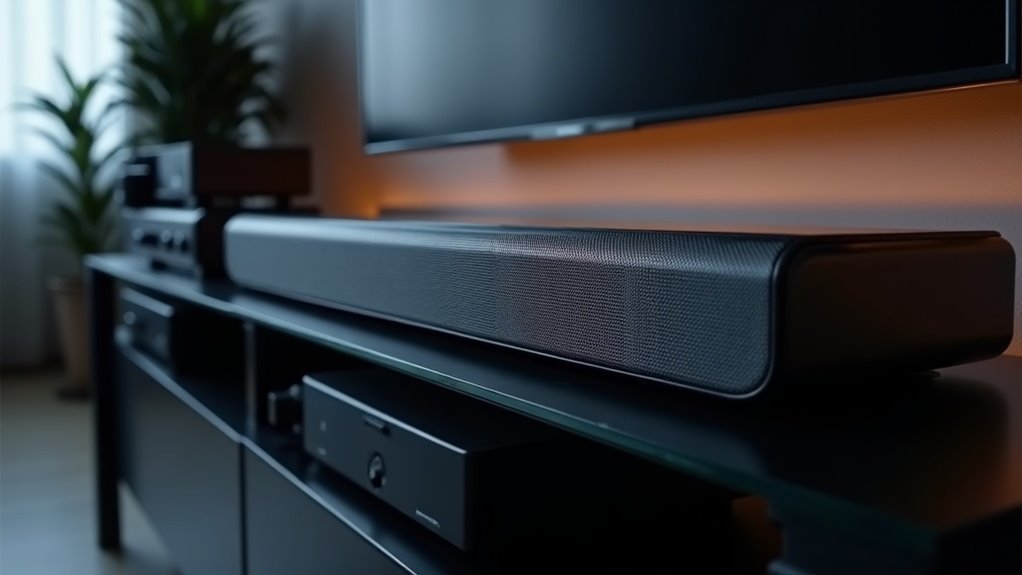
Soundbars often sound tinny due to their compact design, which restricts driver size and bass response. This imbalance can create a hollow audio experience, particularly if the soundbar is not optimally positioned or if low-quality cables are being used. To combat this issue, adjusting the sound modes or equalizer settings can be beneficial. Proper placement is crucial for enhancing clarity and overall sound quality. If you’re looking for effective strategies to improve your soundbar’s audio performance, there are several options to consider.
Key Takeaways
- Soundbars often have smaller drivers, which can limit bass response and lead to a tinny sound quality.
- Improper placement, such as being enclosed in cabinets, can muffle sound and hinder the frequency range.
- Poor cable quality or connections can result in signal degradation, contributing to a tinny audio experience.
- Incorrect sound mode settings, like night mode, may reduce bass and clarity, resulting in an imbalanced output.
- Regular calibration and equalizer adjustments are essential to enhance audio performance and minimize tinny sound in your soundbar.
Understanding the Nature of Soundbars
While soundbars provide a sleek and space-saving alternative to traditional speaker systems, they come with certain limitations due to their design.
Their smaller drivers often restrict bass response, which can lead to a tinny sound quality. Many soundbars prioritize dialogue clarity, emphasizing high frequencies that may result in an imbalanced audio experience.
The placement of a soundbar is also crucial; those positioned in cabinets may experience muffled sound projection. Built-in sound modes, such as “night” or “dialogue,” can further exacerbate the tinny sound by reducing bass levels.
However, taking advantage of calibration options and equalizer settings allows users to fine-tune treble and bass levels, ultimately enhancing the overall sound quality.
Common Causes of Tinny Sound
When a soundbar produces a tinny sound, it’s often due to a combination of factors that compromise audio quality. Improper placement, such as being tucked away in a cabinet, hinders sound projection and frequency range, making it difficult to achieve a full audio experience.
A soundbar’s tinny sound often results from poor placement and compromised audio settings, hindering a rich listening experience.
A lack of bass response, especially if the subwoofer isn’t connected properly, exacerbates this issue by failing to deliver the depth needed for a rich sound profile. Incorrect sound mode settings, like night mode, can reduce bass and clarity, further contributing to a tinny perception.
Additionally, poor cable quality or connection issues can create audio artifacts, while suboptimal audio calibration may not enhance lower frequencies, resulting in sharp dialogue clarity but a thin overall sound.
To achieve optimal sound performance from your soundbar, it’s essential to consider these factors and make necessary adjustments.
Importance of Proper Placement
Proper placement of your soundbar is essential for achieving the best audio quality in your home theater setup.
Position it directly in front of the TV, ensuring there’s ample clearance above to prevent muffling and enhance sound clarity.
Additionally, avoid obstructions and consider the height and angle to maximize sound projection and immersion, especially for advanced sound formats like Dolby Atmos.
Optimal placement will elevate your overall viewing experience, making it crucial to take the time to set it up correctly.
Optimal Soundbar Positioning
Effective soundbar positioning greatly impacts audio performance. Placing the soundbar directly in front of the TV, ideally below the screen, ensures unobstructed sound projection. This ideal placement enhances audio clarity and is essential for Dolby Atmos performance, which thrives on unobstructed sound reaching the ceiling.
Avoid cabinet placement, as enclosed spaces muffle sound and hinder sound dispersion. Maintaining a distance of at least 6 inches from the wall prevents reflections that can create tinny audio.
Wall-mounting offers a clean look while ensuring a direct line of sight, reducing vibrations that detract from overall sound quality.
Avoid Obstructions and Echoes
To achieve ideal sound quality from your soundbar, it’s crucial to avoid obstructions and echoes that can disrupt audio clarity.
Position your soundbar in front of the TV with at least 6 inches of clearance to ensure unobstructed audio delivery, especially for Dolby Atmos. Refrain from placing it inside a cabinet or too close to walls, as these can lead to echoes and diminish sound quality.
Ensure the soundbar is on a stable surface to prevent vibrations that may cause a tinny sound. Maintaining a clear line of sight will improve audio clarity, minimizing the risk of sound reflection or absorption by surrounding objects.
Height and Angle Considerations
Achieving ideal sound quality with your soundbar goes beyond avoiding obstructions; the height and angle of your soundbar play a significant role in audio performance.
Proper placement of the soundbar, preferably slightly below or in front of the TV, enhances sound projection and prevents muffled audio. Elevating the soundbar too high can disperse soundwaves improperly, diminishing clarity and impact.
For Dolby Atmos models, ensure at least 6 inches of clearance for optimal ceiling reflection. Incorrect angling can distort sound frequencies, rendering dialogue tinny.
Maintain a clear line of sight to ensure unobstructed delivery, as obstructions severely affect audio quality and the overall immersive experience.
The Role of Cable Quality
While you mightn’t think about it, the quality of the cables connecting your soundbar plays an essential role in audio performance. Poor or damaged cables can lead to signal degradation, causing your soundbar to produce a tinny sound.
Low-quality HDMI or optical cables restrict audio bandwidth, diminishing depth and clarity. To diagnose issues with your soundbar, try testing it with a high-quality HDMI cable.
Regularly inspect and replace worn cables to maintain audio clarity and enhance performance. Ensuring that HDMI cables are securely connected and compatible with your soundbar’s specifications is vital for achieving optimal audio quality and preventing that tinny sound.
Calibration and Sound Modes
To achieve ideal sound quality from your soundbar, it’s crucial to adjust the equalizer settings based on your personal preferences and the acoustics of your room.
Experimenting with various sound modes, such as cinema or dialogue, can significantly enhance audio clarity and minimize tinny effects.
If your soundbar offers automatic calibration options, make sure to utilize them to ensure it adapts effectively to your unique environment for optimal sound performance.
Adjust Equalizer Settings
Adjusting equalizer settings on your soundbar is essential for enhancing audio quality and combating tinny sound. By fine-tuning bass, treble, and mid-range frequencies, you can greatly improve your soundbar listening experience.
Consider these adjustments:
- Boost bass for a richer sound
- Increase treble to sharpen clarity
- Optimize mid-range for balanced audio
- Elevate center channel volume for clearer dialogue
- Experiment with room acoustics for a tailored effect
These settings help mitigate tinny sound issues, ensuring your audio is clear and immersive.
Don’t overlook the potential of manual adjustments to optimize your soundbar’s performance for your specific environment.
Experiment With Sound Modes
Many soundbars are equipped with various sound modes designed to enhance your listening experience across different types of content. Experimenting with these sound modes, including cinema and dialogue settings, can significantly improve audio quality.
For example, cinema mode typically delivers richer sound, while night mode may reduce bass, resulting in a tinny audio experience. Use the remote control or companion app to access these options and optimize your soundbar’s audio performance.
Additionally, consider utilizing calibration tools that analyze room acoustics. By manually adjusting equalizer settings, you can emphasize lower frequencies, enhancing dialogue clarity and mitigating tinny sound for a more immersive listening experience with your soundbar.
Automatic Calibration Options
Optimizing sound quality with your soundbar isn’t just about experimenting with sound modes; automatic calibration options can play a significant role in enhancing its performance.
By utilizing built-in microphones, these systems analyze room acoustics to adjust audio settings for peak performance.
- Balance audio levels across channels
- Improve overall sound clarity
- Enhance dialogue clarity
- Simplify the calibration process with dedicated apps
- Tailor your listening experience to your space
A quiet environment is vital during the calibration process, as it ensures accurate assessments.
After calibration, you can manually fine-tune settings or switch sound modes, providing you with flexible audio performance that’s perfectly suited to your home entertainment setup.
Enhancing Dialogue Clarity
To enhance dialogue clarity in soundbars, it’s important to recognize how design limitations can affect audio performance. Compact soundbar designs often lead to smaller driver sizes and limited low-frequency response, which can result in tinny sounds. To improve clarity, you can activate dialogue enhancement modes using your soundbar’s app or remote. Additionally, adjusting the equalizer settings—especially increasing the center channel volume—can significantly help. Proper placement of the soundbar is also crucial; ensuring it has a clear line of sight to the listener will improve dialogue clarity. Regular calibration, particularly after firmware updates, is essential for addressing audio output issues that can lead to muffled dialogue.
| Method | Impact | Notes |
|---|---|---|
| Activate Enhancement | Improves clarity | Use app or remote |
| Adjust Equalizer | Enhances center channel | Increase volume of center channel |
| Ideal Placement | Clearer dialogue | Align soundbar with listener’s height |
| Regular Calibration | Resolves output issues | Check settings after updates |







