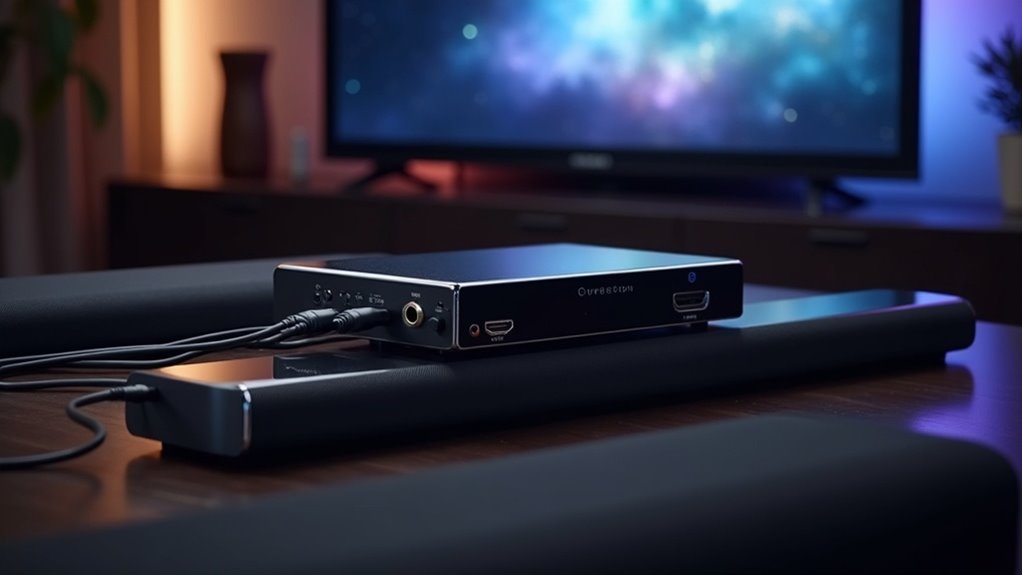
If you’re looking for HDMI switches that support eARC to connect to your soundbar, consider models like the BK-401ARC, iArkPower HDMI 2.1 Switch, and EZ-SP22H2EARCO. These switches enhance audio quality with formats like Dolby Atmos and DTS:X, making them ideal for soundbar setups. Ensure that both your soundbar and the HDMI switch are eARC compatible for optimal performance. Look for features such as multiple inputs and high-bandwidth support to fully maximize your soundbar experience. Discover more about how to enhance your audio setup and achieve the best sound quality possible for your home entertainment system.
Key Takeaways
- The BK-401ARC switcher supports eARC, ensuring that soundbars receive high-quality audio routing for an immersive listening experience.
- iArkPower HDMI 2.1 Switch includes an eARC port, allowing soundbars to achieve lossless audio performance for optimal sound quality.
- EZ-SP22H2EARCO is an HDMI splitter switch that connects one HDMI input to multiple outputs, all of which are compatible with eARC soundbars.
- For the best audio quality with soundbars, look for HDMI 2.1 switches that support 48Gbps bandwidth.
- Ensure that both your HDMI switch and soundbar are eARC compatible to enjoy the finest audio experience possible.
Understanding Earc and Its Importance for Soundbars
When you want to elevate your home audio experience with soundbars, understanding eARC (Enhanced Audio Return Channel) is crucial.
eARC allows high-bitrate audio formats like Dolby Atmos and DTS:X to transmit from your TV to the soundbar, creating a richer, more immersive sound. Unlike traditional ARC, eARC supports higher bandwidth, enabling uncompressed audio formats that significantly enhance sound quality.
It simplifies connectivity by allowing a single HDMI cable to manage both video and audio, reducing clutter and simplifying setup.
To ensure peak performance, make sure both your TV and soundbar support eARC, which guarantees high-quality audio return and an enhanced listening experience tailored specifically for soundbars.
Top HDMI Switches With Earc Support
Finding the right HDMI switch with eARC support can significantly enhance your soundbar experience, particularly when integrating it into your home theater setup.
The BK-401ARC 4×1 HDMI switcher simplifies audio return, delivering high-quality audio routing that complements your soundbar.
The BK-401ARC 4×1 HDMI switcher enhances soundbar performance with seamless, high-quality audio routing.
The iArkPower HDMI 2.1 Switch features an eARC Port, ensuring lossless audio for gaming consoles like the PS5 and Xbox Series X, making it an excellent choice for gamers looking to maximize audio quality.
For those needing to connect one HDMI input to multiple outputs while maintaining audio excellence, the EZ-SP22H2EARCO HDMI splitter switch provides enhanced audio support.
These models facilitate better audio management, making them essential for any soundbar and audio-visual configuration.
Key Features to Look for in HDMI Switches
Choosing the right HDMI switch can significantly enhance your audio and video experience, particularly when paired with a soundbar. Look for features such as eARC support, which ensures seamless audio transmission without the need for additional cables. Here are the key features to consider:
| Feature | Importance |
|---|---|
| HDMI 2.1 Switch | Supports 48Gbps bandwidth |
| Multiple Inputs (4+) | Connects various devices for flexibility |
| High-Def Audio Formats | Enhances sound quality for Dolby Atmos |
Prioritize user-friendly options like automatic switching and remote control capabilities. By considering these features, you can create an optimal setup that maximizes the performance of your soundbar, delivering high-quality audio and video for your enjoyment.
Compatibility Considerations for HDMI Switches and Soundbars
When selecting a soundbar, it’s crucial to consider the compatibility of HDMI switches in relation to supported audio formats and any potential device compatibility issues.
Ensure that both your HDMI switch and soundbar are eARC compatible to fully experience advanced audio features, including Dolby Atmos.
Additionally, be mindful of any known challenges with specific devices, such as the Apple TV 4K, to prevent disruptions in audio performance.
Supported Audio Formats
Selecting an HDMI switch that supports advanced audio formats is fundamental for achieving ideal sound quality with your soundbar.
An HDMI switch with eARC capability guarantees high-quality audio formats like Dolby Atmos and DTS:X are transmitted without loss, enhancing your overall soundbar experience.
Devices such as the BK-401ARC facilitate seamless audio integration, essential for maintaining lossless audio playback.
It’s critical to confirm that the HDMI switch you choose supports both eARC and your desired audio formats for peak performance with your soundbar.
Be aware that some switches may struggle with broader compatibility, potentially limiting your experience with formats beyond standard 7.1 audio and Dolby Atmos, which could impact the performance of your soundbar.
Device Compatibility Issues
When exploring the world of soundbars, it’s essential to be aware of potential compatibility issues that can impact performance. Not all soundbars support eARC, which is crucial for optimal audio return from devices like HDMI switches.
For instance, some users may encounter difficulties with audio format switching when using devices such as the Apple TV 4K, leading to frustration. While many soundbars are capable of handling 7.1 audio and Dolby Atmos, compatibility challenges with other audio formats might still occur.
Furthermore, CEC control allows for managing multiple devices with a single remote, but not all soundbars and associated devices work seamlessly together. Always ensure that your soundbar supports eARC to achieve the best audio experience.
Customer Feedback on HDMI Switches With Earc
How do users perceive the performance of HDMI switches with eARC in relation to soundbars? Many customers value the reliable eARC audio return functionality, especially when connecting their soundbars.
For example, the BK-401ARC HDMI switch is recognized for maintaining high-quality audio across multiple sources, enhancing the soundbar experience. However, some users encounter issues with audio format switching, particularly with the Apple TV 4K.
The BK-401ARC HDMI switch excels in audio quality but may struggle with audio format switching, notably with Apple TV 4K.
The iArkPower HDMI switch receives positive reviews for effectively handling advanced audio formats like Dolby Atmos, which is essential for immersive soundbar setups.
While many appreciate these switches for their easy integration and sound management, some users face challenges with broader audio compatibility, emphasizing the importance of careful selection when choosing an HDMI switch with eARC capabilities for optimal soundbar performance.
Recommendations for Optimal Setup and Usage
To get the most out of your soundbar setup, consider options like the BK-401ARC that support eARC and high resolutions.
Ensure your soundbar can handle advanced audio formats and has features like auto-switching for ease of use.
Additionally, verify compatibility with your TV and HDMI switch to prevent audio format issues.
Best HDMI Switch Options
When you’re setting up your home entertainment system, choosing the right HDMI switch can significantly enhance your soundbar experience.
The BK-401ARC 4×1 HDMI switch supports eARC, allowing seamless connections to soundbars for superior audio output.
Alternatively, consider the iArkPower HDMI 2.1 Switch, designed for eARC compatibility, delivering lossless audio while supporting 8K video.
The EZ-SP22H2EARCO HDMI Splitter Switch also maintains eARC functionality, making it an ideal choice for high-definition systems.
Make sure to select an HDMI switch that’s HDMI 2.1 compliant to ensure maximum compatibility with the latest audio standards for your soundbars.
Setup Tips and Tricks
When setting up your HDMI switch for optimal soundbar performance, it’s crucial to ensure that all components are properly connected and configured.
Here are some essential tips for achieving the best sound quality:
- Make sure your HDMI switch, such as the BK-401ARC, is eARC-compatible to ensure lossless audio transmission to your soundbar.
- Use high-quality HDMI 2.1 cables to support ample bandwidth, particularly for delivering 8K or 4K@120Hz video.
- Connect your soundbar to the eARC port, utilizing the auto-switching feature for smooth input detection.
Additionally, regularly check for firmware updates to improve compatibility with the latest audio formats and enhance overall functionality.







