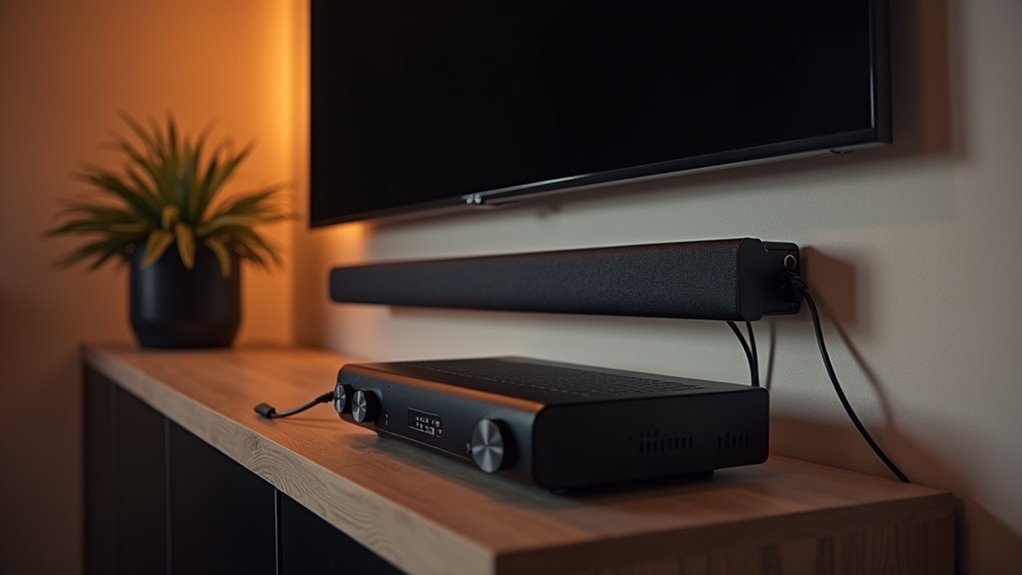
Yes, a soundbar can work with a receiver, but the connection method is crucial for optimal performance. For the best audio quality, it’s recommended to use HDMI ARC or dual RCA cables. While Bluetooth connections offer convenience, they might introduce delays, making wired options preferable for a more seamless experience. Additionally, be mindful of potential audio processing conflicts that can impact sound clarity and timing. To further enhance your soundbar setup, consider exploring essential tips and considerations that can elevate your audio experience.
Key Takeaways
- Soundbars can connect to receivers using RCA pre-outs, but this may compromise audio quality.
- For optimal sound performance, HDMI ARC or eARC connections through the TV are recommended.
- Limited channel output from soundbars can lead to a loss of stereo separation when used with receivers.
- Audio processing conflicts between soundbars and receivers can cause delays and distortions in sound.
- For the best audio experience, using soundbars independently is advisable over connecting them to receivers.
How Do Sound Bars Work?
When you connect a soundbar to your audio system, you’re tapping into a streamlined audio solution that combines multiple drivers within a single enclosure to produce a rich sound experience.
Most soundbars include built-in amplifiers, eliminating the need for additional power equipment. They often utilize advanced audio processing technologies, such as Dolby Atmos, to enhance your listening experience.
Active soundbars offer a variety of connectivity options, including HDMI, optical, and RCA inputs, making it easy to accommodate multiple audio sources.
In contrast, passive soundbars require external amplification, which can limit their functionality.
Understanding these features is essential for creating a safe and enjoyable audio setup tailored to your needs.
How Do Receivers Work?
Soundbars serve as a streamlined solution in your audio setup, connecting easily to various devices like streaming services, gaming consoles, and cable boxes.
They decode audio formats, such as Dolby Digital and DTS, and deliver rich sound quality through their built-in speakers.
Soundbars often come with integrated amplification, enhancing audio output for a more immersive listening experience.
Many modern soundbars support advanced features like HDMI ARC, simplifying connections and allowing control of multiple devices through a single HDMI cable, which enhances your overall enjoyment of movies and music.
Can You Connect a Sound Bar to a Receiver?
You can connect a sound bar to a receiver using RCA pre-outs, but keep in mind that this setup mightn’t provide the best audio quality due to the sound bar’s design as a standalone unit.
For optimal results, use a dual RCA or RCA auxiliary cable, as Bluetooth connections are typically unreliable.
If your sound bar and receiver support HDMI ARC or eARC, consider connecting through your TV for a more streamlined audio experience.
Connection Compatibility Considerations
While connecting a soundbar to a receiver is certainly possible, there are several factors to consider to ensure compatibility and optimal performance.
Here are three important considerations:
- Input Options: Verify that the inputs on your soundbar (such as RCA, HDMI, or optical) align with the outputs on your audio receiver.
- Wired vs. Wireless: It’s advisable to use wired connections to prevent potential Bluetooth compatibility issues and audio synchronization delays.
- Active Soundbars: Exercise caution with active soundbars, as their built-in amplification can create conflicts with the audio receiver, potentially leading to delays and reduced sound quality.
Audio Quality Impact
When connecting a soundbar to a receiver, understanding the potential impact on audio quality is essential, especially since this website focuses on soundbars. Soundbars, typically standalone systems, might not integrate well with multi-speaker setups, which can lead to limitations in audio performance. Often, you’ll only receive center channel audio through a pre-out connection, impairing stereo separation. Simultaneous processing by both devices can create confusion and audio delays. Additionally, Bluetooth connections are usually incompatible, causing sync issues. For the best audio experience with a soundbar, it’s advisable to use it on its own rather than combining it with a surround sound system.
| Issue | Impact on Audio Quality | Recommendation |
|---|---|---|
| Limited Channel Output | Loss of stereo separation | Use soundbar alone |
| Audio Delays | Confusion in sound performance | Avoid simultaneous use |
| Bluetooth Issues | Sync problems | Prefer wired connections |
Recommended Setup Methods
Connecting a soundbar to a receiver can be done using various methods, but it’s important to take into account the limitations that come with each option.
Here are three recommended setup methods specifically for soundbars:
- RCA Connection: Ensure your receiver has preamp outputs and use a dual RCA cable to connect the receiver’s pre-out to the soundbar’s RCA input for optimal sound quality.
- Direct TV Connection: For the best audio experience, connect the soundbar directly to your TV for audio output, while allowing the receiver to manage other connected devices.
- Avoid Bluetooth: Many Bluetooth connections between soundbars and receivers tend to be incompatible, so it’s advisable to choose wired solutions for a more reliable setup.
Steps to Connect a Sound Bar to a Receiver
To connect your sound bar to a receiver effectively, start by checking the input compatibility and ensuring your receiver has pre-outs available.
Next, use a dual RCA cable to link the receiver’s center channel pre-out to the sound bar’s RCA input, keeping in mind that this setup limits output to the center channel only.
Additionally, consider the audio quality implications, as sound bars are generally designed as standalone units, which may affect performance when combined with a receiver.
Connection Method Options
Establishing a connection between a soundbar and a receiver can significantly enhance your audio experience, but it requires careful consideration of the available outputs on your receiver.
Here are three connection method options to reflect upon:
- Use dual RCA cables: Connect the receiver’s center channel pre-out to the soundbar’s RCA or auxiliary port for improved sound quality.
- Bluetooth transmission: If your devices support it, utilize a Bluetooth transmitter/receiver for wireless audio. However, be mindful of potential audio sync issues that may arise with this method.
- Limited functionality: Keep in mind that connecting in this manner will only output the center channel audio, while the left and right speakers operate independently. This could lead to less than ideal audio performance.
Input Compatibility Checklist
When integrating a soundbar with a receiver, it’s essential to ensure that both devices are compatible.
First, check if your receiver has preamplification outputs (pre-outs), as these are crucial for connecting to a soundbar. Utilize a dual RCA or RCA auxiliary cable to connect the receiver’s pre-out to the soundbar’s RCA or auxiliary input, typically labeled as AUX.
It’s important to verify that the soundbar supports these input types. For those who prefer a wireless setup, consider using a Bluetooth transmitter if your receiver has Bluetooth capability.
However, be aware that this method may limit audio output to the center channel, which could impact your overall sound experience.
Audio Quality Considerations
How can you guarantee the best audio quality when connecting a soundbar to a receiver? Follow these steps to enhance your audio experience:
- Confirm that your soundbar is compatible with the receiver’s pre-outs for optimal signal transfer.
- Use a dual RCA or RCA auxiliary cable to connect the receiver’s center channel pre-out to your soundbar’s RCA or auxiliary input.
- Check your soundbar’s specifications to ensure compatibility with the receiver’s outputs.
Sound Bar vs. Receiver: Which Is Better?
Which audio solution suits your home theater best: a sound bar? Sound bars offer simplicity and compactness, making them perfect for smaller spaces. With their sleek design and easy setup, they are an excellent choice for those looking to enhance their audio experience without the complexity of a traditional receiver.
| Feature | Sound Bar |
|---|---|
| Setup Ease | Quick and straightforward |
| Versatility | Limited input options |
| Surround Sound | Lacks depth and immersion |
Ultimately, if you’re seeking a hassle-free audio upgrade that fits seamlessly into your living space, a sound bar is the ideal choice.
Audio Quality Considerations
While connecting a soundbar to a receiver might seem like a straightforward way to enhance your audio setup, it often leads to compromised audio quality. Here are three key considerations specific to soundbars:
- Conflicting Processing: Many soundbars incorporate their own audio processing systems. When paired with a receiver, this can result in conflicting audio enhancements, causing delays and distortion in sound playback.
- Limited Soundstage: Soundbars are typically designed for stereo sound, which may limit your ability to experience the full surround sound capabilities offered by dedicated audio receivers. This can restrict the immersive quality of your audio experience.
- Upscaling Issues: Many active soundbars come with built-in upscaling features for audio, which can interfere with the processing capabilities of the receiver. This can lead to inconsistencies in audio quality and clarity.
For optimal audio performance, consider using a soundbar independently or exploring dedicated surround sound systems to fully enjoy your audio without compromising on quality.
Tips for Optimal Setup
To achieve the best audio experience when connecting a soundbar, start by ensuring that your soundbar has the appropriate input options available.
If your soundbar supports RCA or auxiliary inputs, you can connect it directly to a receiver with preamplification outputs (pre-outs) using a dual RCA cable. For optimal performance, set your soundbar to stereo output to avoid audio processing conflicts.
If your soundbar supports HDMI ARC or eARC, connect it directly to the HDMI output on your TV for enhanced audio quality with fewer cables.
Additionally, consider using a Bluetooth transmitter for a wireless setup, but be mindful of potential audio delays. Always check input compatibility to ensure a seamless connection.







