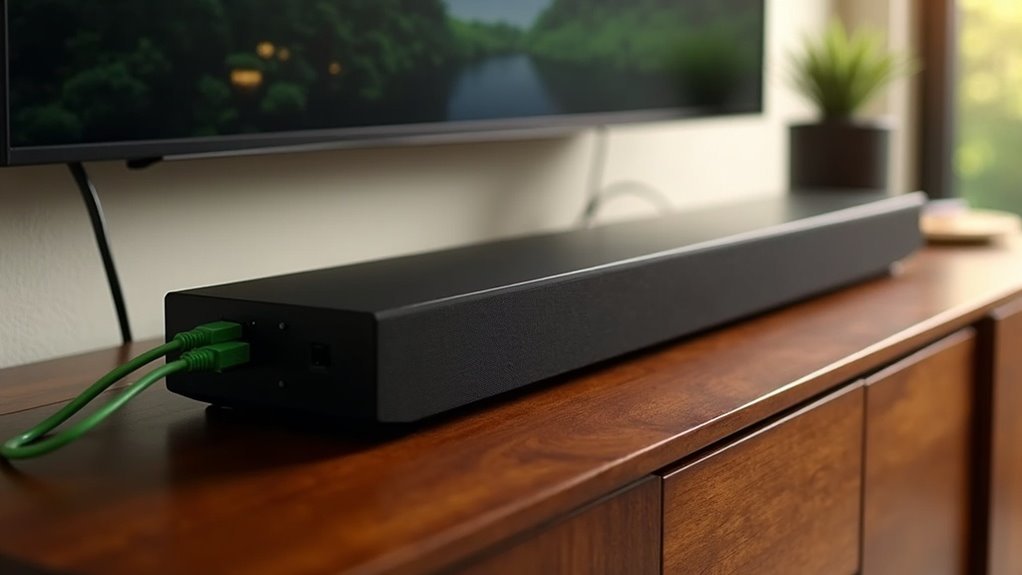
Yes, a soundbar can connect to Ethernet. This wired connection enhances performance by reducing latency and improving audio synchronization, especially in multi-device setups. It also alleviates Wi-Fi congestion, ensuring a stable internet connection for streaming high-resolution audio. However, keep in mind that while Ethernet adds benefits, options like HDMI ARC/eARC or optical cables are often preferred for audio transmission due to their simplicity and reliability. There’s much more to explore about soundbar connectivity options, including the advantages of different types of connections for your audio experience.
Key Takeaways
- Soundbars typically do not require Ethernet for audio transmission, as they mainly connect via HDMI ARC/eARC or optical cables.
- However, having an Ethernet port on a soundbar can enhance performance in multi-device setups by providing a stable and reliable connection.
- Utilizing wired Ethernet reduces latency and improves synchronization between sound and video, which can significantly enhance overall audio performance.
- Additionally, using Ethernet can alleviate Wi-Fi congestion, ensuring a more efficient wireless environment for all connected devices.
- While Ethernet can improve functionality, HDMI and optical connections remain the preferred options for high-fidelity audio transmission in soundbars.
Understanding Soundbar Connectivity Options
When exploring soundbar connectivity options, it’s essential to understand that most models primarily use HDMI ARC/eARC or optical cables to connect to your TV.
While Ethernet connections provide stable wired internet connections, soundbars typically don’t require them for audio transmission. Instead, they rely on HDMI or optical for sound signals.
Some systems may benefit indirectly from Ethernet through smart TVs or streaming devices connected to the network, enhancing audio streaming capabilities.
To improve network stability, you might consider a wired Ethernet connection for those devices, which can ultimately enhance your soundbar’s performance without the need for a direct Ethernet connection to the soundbar itself.
The Role of Ethernet in Soundbar Functionality
Although soundbars primarily focus on audio transmission, Ethernet can play a significant role in enhancing their overall functionality.
If your soundbar features an Ethernet port, utilizing an Ethernet cable can improve performance, particularly in multi-device setups. Opting for a wired connection ensures a stable internet connection, which reduces latency during audio playback. This results in better synchronization between sound and video, especially when watching movies or gaming.
Furthermore, connecting via Ethernet can alleviate Wi-Fi congestion, leading to a more efficient wireless environment in your home.
Benefits of Wired Connections for Soundbars
Connecting your soundbar via Ethernet offers several key benefits that enhance your audio experience.
First, it provides a stable and reliable audio transmission, reducing interruptions and latency issues common with Wi-Fi. Additionally, using Ethernet enables Boost mode, improving network stability and audio streaming performance for your soundbar.
Ethernet offers stable audio transmission, minimizing interruptions and latency while enhancing streaming performance with Boost mode.
You can also daisy chain devices, allowing multiple components to connect through a single cable, which simplifies your setup.
Wired connections support higher bandwidth, which is essential for streaming high-resolution audio formats, ensuring that the sound quality of your soundbar remains uncompromised.
Exploring Alternatives: HDMI and Optical Connections
How can you guarantee ideal audio quality for your soundbar? Consider using HDMI ARC/eARC or optical connections. These options provide high-quality audio without the need for Ethernet.
Here’s why you should choose them:
- HDMI ARC/eARC: This connection enables bidirectional audio, simplifying your soundbar setup while ensuring minimal latency for an immersive experience.
- Optical Cables: These cables transmit digital audio signals reliably, offering clear sound without the risk of interference, making them perfect for enhancing your soundbar’s performance.
- Sound Quality: Both HDMI ARC/eARC and optical connections maintain high fidelity, making them preferred choices for connecting your soundbar over less common Ethernet options.
User Experiences and Recommendations for Setup
When setting up your soundbar, users frequently emphasize the importance of a stable connection for optimal audio performance.
Although many soundbars, such as the Sonos Beam Gen 2, don’t come with dedicated Ethernet ports, using Ethernet for devices that require reliable performance is highly recommended.
Using Ethernet for soundbars like the Sonos Beam Gen 2 is essential for ensuring reliable audio performance.
If network congestion is a concern, consider utilizing a network switch to connect multiple devices through a single cable, which helps reduce clutter.
Users have reported that Wi-Fi connections can introduce interference, negatively affecting sound quality.
To enhance your overall home theater experience, placing your soundbar closer to the router or opting for a wired Ethernet connection can significantly improve audio stability.







