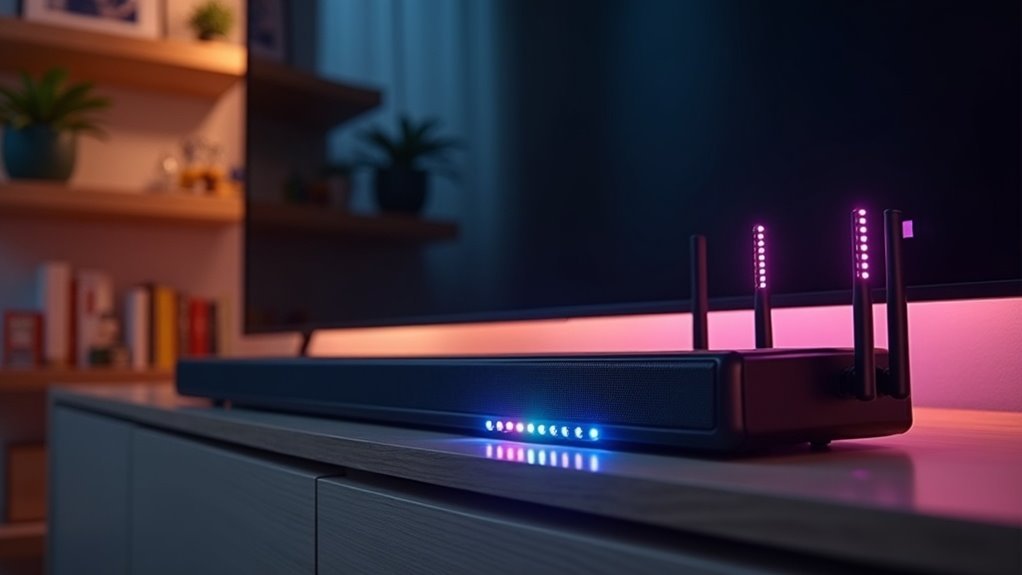
Yes, a soundbar can cause Wi-Fi interference, particularly if it operates on the 5GHz frequency band. This interference can lead to connectivity issues, significantly reducing internet speed—sometimes from 350 Mbps to as low as 20 Mbps. Additional factors, such as neighboring devices and mesh networks, can exacerbate the problem. Understanding how a soundbar affects your network performance is crucial for achieving an ideal audio setup. To learn more about minimizing these disruptions and optimizing your soundbar experience, continue reading.
Key Takeaways
- Yes, soundbars can cause Wi-Fi interference, especially when they operate on the 5GHz frequency band, which overlaps with many routers.
- Models such as the JBL BAR 9.1 and certain Samsung systems are known to frequently disrupt Wi-Fi connectivity due to their frequency usage.
- Symptoms of interference include significant drops in internet speed, which can decline from 350 Mbps to as low as 20 Mbps when soundbars are active.
- To minimize interference, consider using the 2.4GHz band, which generally offers better stability and less overlap with other devices.
- Regularly monitor the placement of your soundbar and the performance of your network to effectively assess and mitigate any interference issues.
Understanding Wi-Fi Interference
When you’re enjoying your soundbar at home, understanding Wi-Fi interference is crucial for ensuring a seamless audio experience.
Wi-Fi interference can occur when multiple devices, such as soundbars and routers, operate on overlapping frequencies, especially within the 5GHz band. This overlap can result in issues like audio dropouts or lag during playback. Additionally, neighboring devices can amplify these disruptions.
Wi-Fi interference from overlapping frequencies can cause audio dropouts and lag, impacting your soundbar experience.
To reduce interference, try moving your soundbar and mesh nodes further apart or consider using the 2.4GHz band, which is often less crowded.
Utilizing advanced technologies like MU-MIMO can also improve your network’s efficiency, helping to minimize potential interference from multiple devices and enhancing your soundbar’s performance.
Common Causes of Soundbar Interference
While soundbars significantly enhance your audio experience, they can sometimes cause Wi-Fi interference. This is primarily due to their operation on overlapping frequency bands.
For instance, soundbars that operate on a 5GHz frequency, such as certain JBL models, may disrupt your Wi-Fi if your router is also using the same band. Moreover, devices within a mesh network, like Eero, can exacerbate disconnections since they dynamically allocate frequency bands, leading to potential conflicts.
Other household wireless devices, like microwave ovens and cordless phones, may also contribute to this interference. Common symptoms of this issue include temporary dips in internet speed when the soundbar is in use, which can adversely affect your overall connectivity and performance.
Identifying Affected Soundbar Models
When selecting a soundbar, it’s essential to identify models that may cause Wi-Fi interference.
For example, soundbars such as the JBL BAR 9.1 and Samsung systems frequently operate on 5GHz frequencies, which can lead to potential connectivity issues.
Being aware of these frequency interference problems can assist you in making an informed choice and ensuring optimal audio performance.
Common Soundbar Models
Several popular soundbar models are known to potentially cause WiFi interference, impacting your home network’s performance.
Please read this list of common models that might affect connectivity:
- JBL BAR 9.1 True Wireless Surround
- Samsung soundbars (notably with subwoofers on a 5.8GHz channel)
- LG and Vizio soundbars
These soundbars often operate on the 5GHz frequency, overlapping with other wireless devices.
Users have reported issues resulting in internet slowdowns and dropouts.
It’s essential to assess your soundbar’s impact on your network, especially if you notice connectivity problems during use.
Such disruptions could lead to significant inconveniences.
Frequency Interference Issues
While many soundbars enhance your audio experience, they can also introduce frequency interference issues that disrupt Wi-Fi connectivity. Popular models like the JBL BAR 9.1, JBL Bar 5.1, and various Samsung soundbars frequently operate on 5.8GHz, which overlaps with Wi-Fi frequencies, leading to connectivity problems.
| Soundbar Model | Frequency Issues |
|---|---|
| JBL BAR 9.1 | Audio dropouts, instability |
| JBL Bar 5.1 | Network congestion |
| Samsung Soundbars | Reduced internet speed |
To mitigate these issues, ensure optimal placement and channel management for your devices, especially in congested environments. This can help maintain a seamless audio experience while minimizing Wi-Fi disruptions.
Solutions to Minimize Interference
To effectively minimize interference from your soundbar, it’s essential to position your audio equipment thoughtfully within your space.
Consider these steps:
To minimize soundbar interference, strategically position your equipment and explore available settings for optimal performance.
- Switch to the 2.4GHz band for your soundbar, as it may experience less disruption than the 5GHz band, reducing potential overlap with other devices.
- Enable the MU-MIMO setting on your soundbar system if available, allowing for simultaneous audio distribution, which can enhance your listening experience.
- Regularly monitor the placement of your soundbar, ensuring it’s away from areas with high interference from other electronic equipment.
Consult your soundbar’s manual or the manufacturer’s website for specific settings to optimize your audio experience and ensure a clear, uninterrupted sound.
The Role of Frequency Bands
When considering soundbar performance, the distinction between the 5GHz and 2.4GHz bands is vital.
Soundbars operating on the 5GHz band can contribute to interference, especially when nearby devices utilize the same frequency.
Understanding how soundbar band allocation affects your audio experience and connectivity is essential for optimizing performance.
5GHz vs. 2.4GHz Bands
Understanding the differences between the 5GHz and 2.4GHz frequency bands is essential for optimizing the performance of your soundbar. Here are key points to consider:
- Speed vs. Range: The 5GHz band offers faster audio streaming capabilities but has a shorter range, which may lead to connectivity issues if your soundbar is far from the router.
- Interference Potential: Soundbars utilizing the 5GHz band can experience interference from overlapping WiFi channels, potentially disrupting audio playback.
- Device Sensitivity: The 2.4GHz band, while slower, provides better coverage and is less congested, making it a more reliable option for maintaining a stable connection with your soundbar.
Choosing the appropriate band can significantly enhance your soundbar’s performance and improve your overall audio experience.
Interference From Neighboring Devices
As soundbars increasingly rely on wireless connections, interference from neighboring devices can become a significant issue, especially in densely populated areas.
Many soundbars operate on 5.8GHz channels, which overlap with common WiFi channels. This overlap can saturate specific channels, like 161 and above, leading to audio cutouts and connectivity problems.
Devices such as AT&T Fiber Modem/Router can exacerbate this interference if they lock onto the same channel.
To ensure a stable audio performance from your soundbar, it’s essential to monitor and adjust the operating channels of both your soundbar and your router.
Soundbar Band Allocation Issues
While many soundbars are designed to enhance your audio experience, their reliance on specific frequency bands can lead to significant challenges, particularly in environments with multiple wireless devices. Here’s what you should know:
- Bandwidth Competition: Soundbars operating on the 5GHz band may experience competition for bandwidth, potentially causing Wi-Fi interference which can affect sound quality.
- Wireless Connections: Many soundbars connect wirelessly to subwoofers and surround speakers, which can exacerbate interference issues and impact overall audio performance.
- Signal Conflicts: Even with advanced mesh networks like Eero, soundbars may default to the 5GHz band, leading to signal conflicts and temporary dips in internet speed that can disrupt streaming and audio playback.
Understanding these aspects can help you mitigate interference and ensure a smoother, more reliable sound experience with your soundbar.
Monitoring Internet Speed Fluctuations
How can you effectively monitor internet speed fluctuations when using soundbars?
Start by regularly testing your internet speed with reliable tools. Pay attention to speed drops, especially when activating your soundbar, as users have reported declines from 350 Mbps to 20 Mbps.
Document these metrics to identify patterns related to soundbar usage. This data will help you understand the interference caused by your soundbar operating on a 5GHz frequency.
Recognizing these fluctuations empowers you to make informed adjustments, such as shifting to alternative frequency bands, ultimately enhancing your soundbar’s performance and ensuring a seamless audio experience.
Best Practices for Optimal Setup
To achieve ideal performance from your soundbar and minimize Wi-Fi interference, it’s crucial to implement strategic setup practices. Follow these best practices:
- Position mesh nodes away from the soundbar to reduce connectivity issues.
- Whenever possible, connect your soundbar using the 2.4GHz band, as it typically encounters less interference than the 5GHz band.
- Enable MU-MIMO settings on your mesh network to enhance communication efficiency among multiple devices.
Regularly monitor the placement of your soundbar and mesh nodes, adjusting as needed to guarantee peak performance and minimize any potential connectivity disruptions.
Utilize wired connections whenever feasible for greater reliability.







