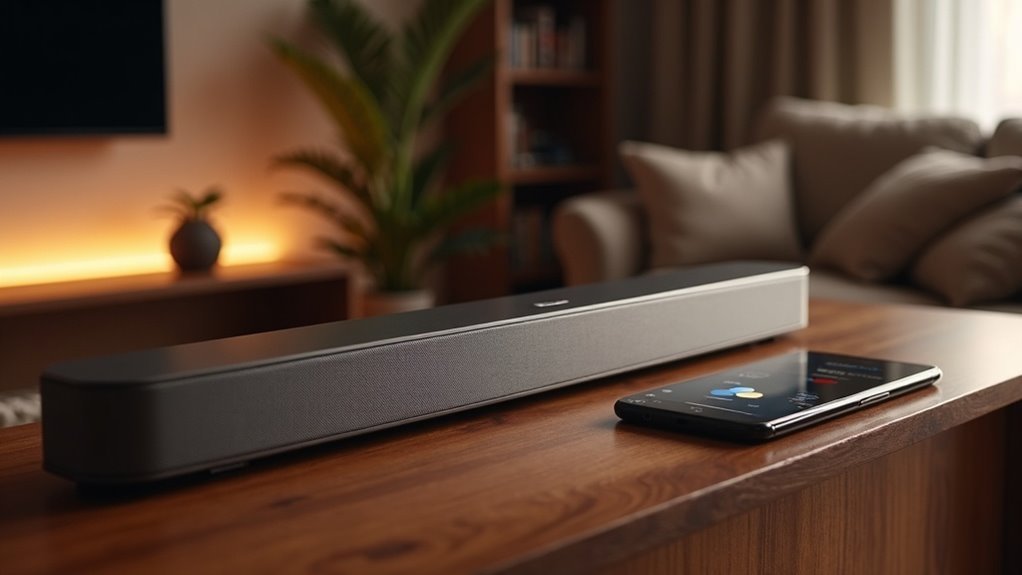
Yes, your soundbar can connect to Google Assistant for easy voice control. Just verify it’s compatible, connected to the same Wi-Fi network, and set up through the Google Home app. With voice commands, you can manage playback, adjust volume, and switch inputs effortlessly, enhancing your listening experience with your soundbar. Plus, features like Chromecast built-in let you stream directly to your soundbar. For more tips on maximizing your soundbar setup, keep exploring the possibilities!
Key Takeaways
- Soundbars can connect to Google Assistant if they feature built-in voice command functionality and are compatible with SmartThings.
- For seamless integration, both the soundbar and the Google Assistant device must be connected to the same Wi-Fi network.
- To set up the soundbar, use the Google Home app to connect and configure the device.
- Voice commands enable users to effortlessly control playback, volume, and inputs with the soundbar.
- Google Assistant enhances the audio management experience through simple voice interactions, making it user-friendly for soundbar users.
Understanding Google Assistant Compatibility
When you’re considering a soundbar, understanding its compatibility with Google Assistant is essential.
To enjoy hands-free control, verify that your soundbar has built-in functionality for voice commands and is compatible with SmartThings. You’ll need to set it up through the Google Home app and connect it to the internet.
Ensure your soundbar supports voice commands and SmartThings for effortless hands-free control through the Google Home app.
Once connected, you can issue voice commands to control playback, adjust the volume, and switch inputs effortlessly. This integration not only enhances your user experience but also promotes safety by allowing you to keep your hands free while enjoying your favorite content.
Choose wisely for seamless operation with Google Assistant and elevate your audio experience with the right soundbar.
Setting up Your Soundbar With Google Home
Now that you understand how to check your soundbar’s compatibility with Google Assistant, let’s get into the setup process.
- Ensure your soundbar is connected to the same Wi-Fi network as your Google Assistant device.
- Press and hold the “Wi-Fi” button for eight seconds until you hear a second tone.
- Open the Google Home app and tap the (+) button.
- Select “Set Up Device” and choose “New Device” to locate your soundbar.
- Confirm the connection by pressing “Yes” and listen for sound.
Following these steps will ensure a seamless setup, allowing you to enjoy voice control features for your soundbar with ease and convenience.
Voice Control Features for Soundbars
How can you enhance your audio experience with soundbars? With voice control features, managing your sound has never been easier. Soundbars like the JBL LINK BAR come equipped with Google Assistant, allowing you to issue simple commands without lifting a finger. To take advantage of these features, simply connect your soundbar to the Google Home app. Here’s a quick overview:
| Voice Command | Function | Example |
|---|---|---|
| Play Music | Start audio playback | “Hey Google, play jazz.” |
| Change Volume | Adjust sound levels | “Hey Google, turn up the volume.” |
| Set Input | Switch audio sources | “Hey Google, switch to HDMI.” |
Enjoy a seamless audio experience with the convenience of voice control!
Benefits of Using Google Assistant With Your Soundbar
Integrating Google Assistant with your soundbar elevates your audio experience by allowing for effortless voice control.
You can manage playback and adjust volume settings without needing to reach for a remote. Additionally, you can enjoy a multiroom audio setup, synchronizing sound throughout your home with ease.
The hands-free convenience ensures that you can remain focused on your entertainment while still maintaining connectivity with your smart home devices.
Seamless Voice Control
While enjoying your favorite shows or music, the convenience of voice control can transform your audio experience with your soundbar.
With Google Assistant integrated into your device, you can effortlessly manage your sound without a remote.
- Adjust the volume hands-free
- Change inputs with simple commands
- Control playback by saying, “Hey Google”
- Sync multiple soundbars for a cohesive smart home audio experience
- Stream music from various apps using voice commands
This seamless voice control not only enhances your enjoyment but also simplifies the way you interact with your soundbar, making your home smarter and more connected.
Multiroom Audio Experience
Integrating Google Assistant with your soundbar enhances your audio experience, allowing for seamless multiroom capabilities.
You can enjoy synchronized music playback across various compatible speakers in your home, all while controlling your soundbar effortlessly. With simple voice commands, you can adjust the volume, play, pause, or skip tracks without needing to move around.
Google Assistant’s multiroom feature ensures you can operate your soundbar hands-free, even while managing tasks in different rooms.
Additionally, with Chromecast built-in, accessing a wide range of audio content is easy, letting you create personalized playlists and set the perfect atmosphere for every room.
Hands-Free Convenience
Hands-free control of your soundbar is one of the most significant benefits of connecting it to Google Assistant.
This hands-free convenience enhances your audio experience and allows you to manage sound effortlessly.
Here are some key advantages:
- Control playback with simple voice commands for your favorite shows and music.
- Adjust volume levels without needing to reach for the remote.
- Access music streaming services instantly, just by asking.
- Seamlessly manage other smart home devices while enjoying your soundbar.
- Quick and easy setup through the Google Home app for an optimal audio experience.
Chromecast Built-in Functionality
Chromecast built-in functionality transforms your soundbar into a powerful audio streaming hub. With this feature, you can stream music and audio directly from compatible apps without needing extra hardware.
Simply tap the Cast button in your favorite apps, and you’re ready to go—no new logins necessary. You can control playback using voice prompts through Google Assistant, making it even more convenient.
Plus, it supports multiroom audio setups, allowing you to synchronize sound across multiple Chromecast-enabled soundbars. Just ensure you have an internet connection and the Google Home app for a seamless configuration experience.
Enjoy your audio safely and effortlessly!
Troubleshooting Common Connection Issues
Even with the convenience of Chromecast built-in functionality, you might encounter some connection hiccups when linking your soundbar to Google Assistant.
Here are some troubleshooting tips specifically for soundbars to help you get connected smoothly:
- Confirm that both your soundbar and Google Assistant device are connected to the same Wi-Fi network.
- Ensure the Google Home app is installed and that the soundbar setup has been completed properly.
- Check that the soundbar is powered on and set to pairing mode.
- Verify that your Google Assistant device is functioning correctly and has reliable internet access.
- If detection fails, try restarting both your soundbar and the Google Assistant device.
Following these steps can enhance your soundbar experience and guarantee stable connectivity.
Enhancing Your Home Theater Experience
Enhancing your home theater experience is easier than ever with a soundbar that connects to Google Assistant.
With a soundbar, you can control volume and playback hands-free, stream music effortlessly, and even set up multiroom audio for a synchronized listening experience throughout your home.
These features create a truly immersive environment, transforming your movie nights and music sessions into something extraordinary.
Explore the world of soundbars to elevate your audio experience.
Voice Control Convenience
How much more enjoyable would your home theater experience be with the convenience of a soundbar that features voice control?
Voice control transforms your setup, enabling you to immerse yourself in entertainment without lifting a finger. With a soundbar integrated with Google Assistant, you can:
- Play your favorite music with just a voice command
- Adjust the volume effortlessly, no need for remotes
- Switch between different inputs with ease
- Control other smart devices in your home theater seamlessly
- Change settings quickly and conveniently
This user-friendly interaction reduces physical effort, enhancing your overall viewing and listening experience.
Just ensure you have the Google Home app installed and a stable internet connection to fully utilize your soundbar’s voice control capabilities.
Seamless Media Integration
While enjoying your favorite movies and music, the integration of a soundbar with Google Assistant can greatly elevate your home audio experience.
To achieve seamless control, your soundbar should be connected to your Smart TV. This allows you to effortlessly command your soundbar with phrases like, “Hey Google, play my favorite music” or “change the volume,” all without lifting a finger.
Additionally, with Chromecast built-in, you can stream directly from your devices, making it easy to access your preferred content. Just press and hold the microphone button or speak your commands out loud.
This integration not only enhances convenience but also transforms your space into a cohesive audio haven, perfect for enjoying your soundbar’s capabilities and elevating your media experience.
Multiroom Audio Setup
If you want to elevate your home theater experience, consider setting up a soundbar system. With this setup, you can enjoy enhanced audio quality that transforms your viewing experience.
- Connect soundbars effortlessly with various devices
- Manage your soundbar settings via an intuitive app
- Use voice commands for hands-free control
- Support various streaming services for seamless playback
- Personalize your audio experience with customizable sound profiles
This soundbar setup not only boosts your enjoyment but also guarantees you can create the perfect atmosphere for any occasion safely and conveniently.
Comparing Voice Assistants for Soundbar Control
As you explore soundbars and their voice assistant capabilities, you’ll find that Google Assistant stands out for its ease of use and broad compatibility.
With simple commands like “Hey Google, play music,” you can effortlessly manage power, volume, and playback without lifting a finger. The setup through the Google Home app ensures everything’s properly connected and ready for an enhanced audio experience.
Effortlessly control your soundbar with simple voice commands and enjoy a seamless audio experience through the Google Home app.
While Google Assistant excels in convenience, other options like Bixby may offer deeper integration with specific soundbar functions.
Ultimately, your choice will depend on your preferences and the devices you own, but Google Assistant is a strong contender for seamless soundbar control.







