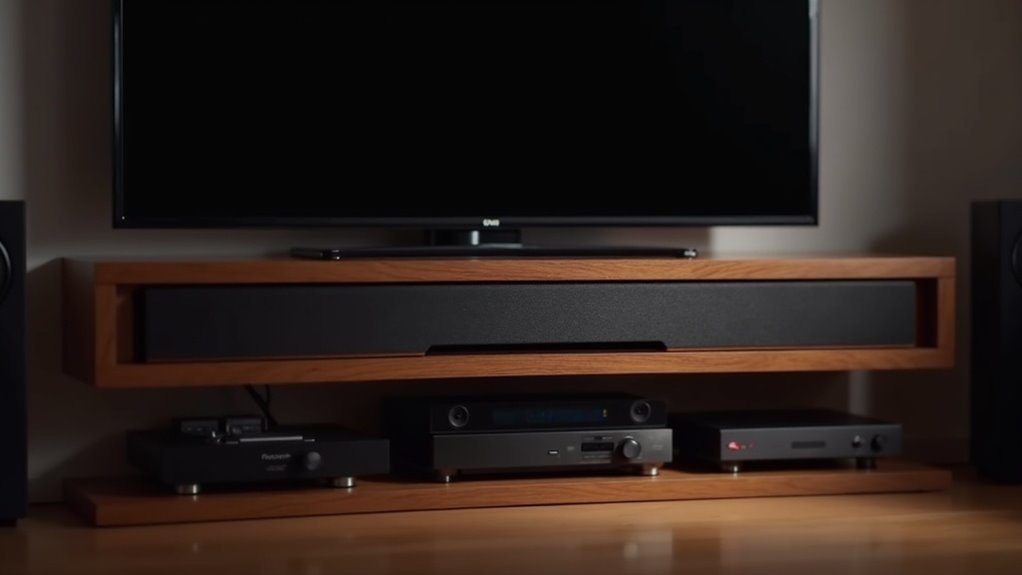
Many modern soundbars do support lossless audio, allowing you to enjoy music as artists intended. For ideal performance, make sure your soundbar is compatible with high-resolution codecs like LPCM and Dolby TrueHD. HDMI eARC connections are essential for transmitting uncompressed audio effectively. Additionally, check your soundbar’s settings for firmware updates to enhance compatibility. Understanding these features can greatly improve your audio experience and guide you toward making an informed soundbar choice.
Key Takeaways
- Check if the soundbar supports lossless audio formats like LPCM and Dolby TrueHD for optimal playback quality.
- Ensure the soundbar has HDMI eARC connections for effective transmission of uncompressed audio formats.
- Verify compatibility with streaming services that offer lossless audio options, such as Spotify Connect.
- Regular firmware updates can enhance the soundbar’s ability to handle lossless audio formats.
- Investing in high-quality soundbars, like Samsung’s Q-series, ensures a superior lossless audio experience.
What Is Lossless Audio?
Lossless audio is a format that preserves the complete sound information from the original recording, ensuring you experience music exactly as intended by the artist.
Unlike lossy formats, lossless audio retains all original data, delivering high-quality audio that often exceeds standard CD quality. Formats like Apple Lossless Audio Codec (ALAC) and FLAC are popular choices, providing indistinguishable sound quality.
To fully appreciate this lossless audio quality through your soundbar, it’s crucial to use a soundbar model that supports these formats. This will enhance your listening experience, allowing you to enjoy the full audio range and maximize the benefits of excellent sound reproduction.
Benefits of Using Lossless Audio
When you choose a soundbar that supports lossless audio, you’re not just opting for higher fidelity; you’re immersing yourself in a sound experience that captures every nuance of your favorite movies, music, and games. This audio technology guarantees superior sound quality, providing a richer listening experience that enhances your home entertainment setup. With lossless formats, you can enjoy streaming and playback without compromising fidelity. Quality soundbars, especially those that support Dolby TrueHD, are essential for appreciating these subtle distinctions fully. Streaming services like Apple Music and Amazon Music offer lossless options, elevating your audio enjoyment when paired with the right soundbar.
| Benefits | Description | Ideal For |
|---|---|---|
| Rich Fidelity | Captures every nuance of the original recording | Audiophiles |
| Enhanced Clarity | Delivers superior sound quality | Movie Buffs |
| Easy Streaming | Allows storage and playback without sacrificing quality | Casual Viewers |
Compatibility of Soundbars With Lossless Audio
To fully appreciate the benefits of lossless audio through your soundbar, it’s essential to verify its compatibility with the necessary audio formats and connection methods.
Many modern soundbars, such as those in Samsung’s Q-series, support advanced formats like LPCM and Dolby TrueHD when connected via HDMI eARC. This compatibility is crucial, as soundbars must handle specific audio formats, including PCM, Dolby Digital, and DTS, to ensure effective lossless audio playback.
Be cautious—models like the SB300 and SB500 lack LPCM 5.1 support, which may limit your ability to achieve a true lossless audio experience. Always confirm that your soundbar supports the right formats for peak performance.
Connection Methods for Lossless Audio
While there are multiple ways to connect your soundbar for peak audio performance, HDMI connections, particularly via eARC or ARC, stand out as the most effective for lossless audio playback.
To guarantee superior sound quality from your soundbar, consider these connection methods:
To achieve exceptional sound quality from your soundbar, explore these top connection options for optimal performance.
- HDMI eARC/ARC: Handles uncompressed audio formats efficiently, ensuring your soundbar delivers the highest quality sound.
- Optical Connections: Supports lossless audio files, providing reliable quality for all your audio needs.
- Wi-Fi Network: Use for streaming lossless audio through services like Spotify Connect, ensuring both your soundbar and streaming devices support high-quality audio for an enhanced listening experience.
Audio Formats Supported by Soundbars
Understanding the audio formats supported by soundbars is essential for maximizing your listening experience. Soundbars can handle various audio formats, including Dolby Digital and lossless audio options like LPCM and Dolby TrueHD. Here’s a quick overview of common audio formats:
| Audio Format | Description |
|---|---|
| PCM | Pulse Code Modulation for uncompressed audio |
| LPCM | Lossless audio format for high-resolution playback |
| Dolby Digital | Multi-channel audio for immersive sound |
| Dolby TrueHD | Uncompressed audio for enhanced quality |
Make sure your soundbar supports HDMI eARC to fully utilize these formats and achieve peak audio performance.
How to Stream Lossless Audio on Soundbars
To stream lossless audio on your soundbar, you’ll want to prioritize connection methods, device compatibility, and streaming quality considerations.
Ensure your soundbar is equipped to handle high-resolution codecs and connect it using HDMI eARC for optimal audio fidelity.
Additionally, review the settings in your streaming app to select lossless audio options and verify compatibility with services like Spotify Connect for a seamless listening experience.
Connection Methods Explained
When streaming lossless audio on soundbars, selecting the right connection method is essential for achieving ideal sound quality.
Here are the top methods to take into account:
- HDMI eARC: This supports uncompressed formats like LPCM 5.1 and Dolby TrueHD 5.1 for true lossless audio.
- Direct HDMI Connection: Connecting your soundbar directly to the TV simplifies setup and guarantees high-quality digital audio from various sources.
- Wi-Fi Streaming: More reliable than Bluetooth, Wi-Fi connections can effectively transmit lossless audio without compromising quality.
Verify your soundbar is compatible with these formats to enjoy the full benefits of lossless sound.
Device Compatibility Insights
Streaming lossless audio on soundbars is primarily dependent on device compatibility. Ensure your soundbar supports high-resolution formats like Apple Lossless Audio Codec (ALAC) or Dolby TrueHD for an exceptional sound experience.
Many modern soundbar models are compatible with streaming services that offer lossless options, but it’s essential to verify that your soundbar can utilize Spotify Connect for smooth audio playback.
For optimal results, connect via HDMI eARC, as this connection type effectively manages uncompressed audio formats, unlike Bluetooth. Additionally, use devices that support high sample rates, such as 24-bit/192kHz audio, and make it a habit to check for firmware updates to improve compatibility with lossless audio formats.
Streaming Quality Considerations
Achieving ideal sound quality from your soundbar requires careful attention to the streaming method used for lossless audio. Consider these key factors:
- Ensure your soundbar supports formats like Dolby TrueHD or LPCM for uncompressed audio.
- Opt for Wi-Fi instead of Bluetooth to enhance bandwidth and audio fidelity.
- Verify compatibility with Spotify Connect for high-quality streaming directly from the app.
Additionally, check your streaming service settings to enable lossless audio and confirm that all devices, including your TV and HDMI switches, support eARC.
Troubleshooting Lossless Audio Issues
To troubleshoot lossless audio issues with your soundbar, start by checking for firmware updates, as outdated software can hinder performance.
Additionally, connect directly through the Spotify app instead of using other intermediary platforms, which might introduce compatibility problems.
These steps can greatly enhance your soundbar’s audio experience and resolve common playback issues.
Firmware Update Check
When troubleshooting lossless audio issues with your Samsung soundbar, checking for firmware updates is essential. Keeping your soundbar’s firmware current can greatly enhance sound quality and compatibility.
Follow these steps:
- Navigate to the soundbar’s settings menu.
- Select the “Software Update” option.
- Compare the installed version with the latest available on the manufacturer’s website.
If lossless audio problems persist after updating, consider rebooting both the soundbar and the router.
Many modern soundbars will prompt for firmware updates automatically if connected to Wi-Fi, ensuring you stay up-to-date without manual intervention.
Direct Connection Recommendations
Direct connections significantly enhance your soundbar’s ability to deliver lossless audio quality. To achieve this, ensure your soundbar supports HDMI eARC, which transmits uncompressed audio formats like LPCM 5.1 and Dolby TrueHD 5.1.
Connecting directly to your TV via HDMI ARC or eARC is crucial, as optical connections can degrade sound quality. If you’re using an HDMI switch, verify that it supports eARC for optimal lossless audio transfer.
Additionally, when utilizing Spotify Connect, make sure both your soundbar and the streaming device are on the same Wi-Fi network for seamless playback.
Regular firmware updates will also help maintain compatibility with lossless audio streaming services, ensuring you get the best performance from your soundbar.
Recommended Soundbars for Lossless Audio
If you’re on the hunt for an exceptional audio experience, investing in a soundbar that supports lossless audio is essential.
Samsung soundbars such as the HW-Q990F and HW-Q700F stand out for their remarkable sound quality, supporting formats like LPCM and Dolby TrueHD. They also come equipped with HDMI eARC for the transmission of uncompressed audio.
Here are some top recommendations:
- Samsung HW-Q990F: With a price tag of $1,599, this model delivers immersive sound and advanced lossless audio capabilities.
- Samsung HW-Q700F: A fantastic option for those seeking high-quality audio at a more affordable price point.
- Versatile Connectivity: With multiple options including HDMI, optical, and Bluetooth, these soundbars offer excellent setup flexibility to suit your needs.
Explore these models to elevate your home audio experience!







