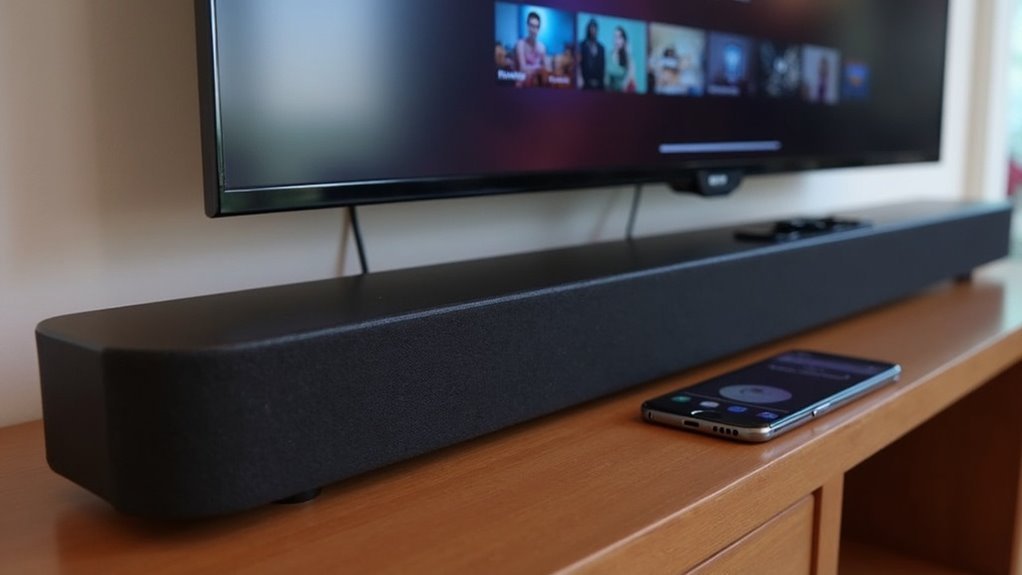
Many modern soundbars support Chromecast built-in, allowing you to stream audio directly from apps like Spotify and YouTube Music over Wi-Fi. This feature simplifies your setup by eliminating extra devices and enhancing your audio quality. To ensure compatibility, check the soundbar’s specifications. Enabling Chromecast is also easy through the manufacturer’s app. If you want to learn more about maximizing your soundbar’s capabilities, there’s a wealth of information available on Chromecast features and benefits!
Key Takeaways
- Many modern soundbars are equipped with Chromecast built-in, enabling seamless audio streaming from compatible applications.
- It’s important to check the specifications of the soundbar to verify its support for Chromecast.
- Chromecast built-in allows for multi-room audio configurations, ensuring synchronized playback across multiple devices.
- Soundbars featuring Chromecast built-in not only enhance audio quality but also simplify the streaming process without the need for additional devices.
- To activate Chromecast functionality, users often need to utilize the manufacturer’s app for optimal performance.
Understanding Chromecast Built-in for Soundbars
When you choose a soundbar with Chromecast built-in, you gain the ability to stream audio directly from your favorite apps over Wi-Fi, eliminating the need for extra devices.
This feature enhances your listening experience, allowing you to enjoy services like Spotify and YouTube Music seamlessly. For peak performance, activate Chromecast built-in through the manufacturer’s app.
If you’re considering a soundbar from brands like Bose, verify its specifications to confirm it supports Chromecast built-in.
Additionally, this technology enables multi-room audio setups, letting you synchronize playback across multiple soundbars, keeping your home environment safe and sound-friendly while enjoying your favorite tunes.
Compatibility of Soundbars With Chromecast
Understanding the compatibility of soundbars with Chromecast can greatly enhance your audio streaming experience. Many modern soundbars come with Chromecast built-in, allowing you to stream audio directly from your devices effortlessly.
When selecting a soundbar, it’s crucial to check its specifications to ensure it supports a Chromecast connection. Remember that not all models feature this capability; some may offer alternatives such as Bluetooth or AirPlay.
Soundbars equipped with Chromecast also facilitate multi-room audio setups, creating a synchronized sound experience throughout your home. By choosing the right soundbar, you can enjoy seamless streaming from popular apps like Spotify and YouTube Music, significantly enhancing your listening enjoyment.
Steps to Enable Chromecast Built-in
To enable Chromecast built-in on your soundbar, begin by opening the Bose app and tapping the Settings icon located in the upper-right corner of the screen.
If another product is displayed, select the My Bose icon in the upper-left corner to access the specific settings for your soundbar.
Next, navigate to the Chromecast Built-in option within the settings menu and use the toggle switch to activate this feature.
Navigate to the Chromecast Built-in option in the settings menu and toggle it to activate this feature.
Be sure to accept the Google Terms of Service to complete the activation process.
Finally, confirm that your soundbar is connected to the same Wi-Fi network as your casting device for optimal audio performance.
Streaming Audio With Chromecast
Streaming audio with a soundbar that features Chromecast transforms how you enjoy music and other audio content.
Here are three key benefits:
- Seamless Streaming: Access various music apps like Spotify and YouTube Music directly through your soundbar for an immersive audio experience.
- Easy Setup: Connect your soundbar to the same Wi-Fi network as your smartphone or tablet for quick and hassle-free access to your favorite tunes.
- Volume Control: Fine-tune your listening experience by adjusting the volume directly through the app interface, ensuring the perfect sound level.
With Chromecast built-in, you can effortlessly stream audio to your soundbar, enhancing your overall enjoyment while keeping your setup simple and user-friendly.
Benefits of Using Chromecast With Soundbars
Integrating Chromecast with your soundbar offers a range of advantages that enhance your audio experience. You can stream audio directly from compatible apps, minimizing cable clutter and increasing convenience.
With Chromecast’s multi-room audio capabilities, you can synchronize playback across multiple soundbars, creating a cohesive sound environment throughout your home. Enjoy high-quality audio streaming that surpasses traditional Bluetooth connections, ensuring a richer listening experience.
You’ll also appreciate the ability to control playback and volume adjustments through the soundbar app or other cast-enabled apps, allowing for effortless management without needing a remote.
This setup simplifies your audio experience while maintaining exceptional sound quality.







