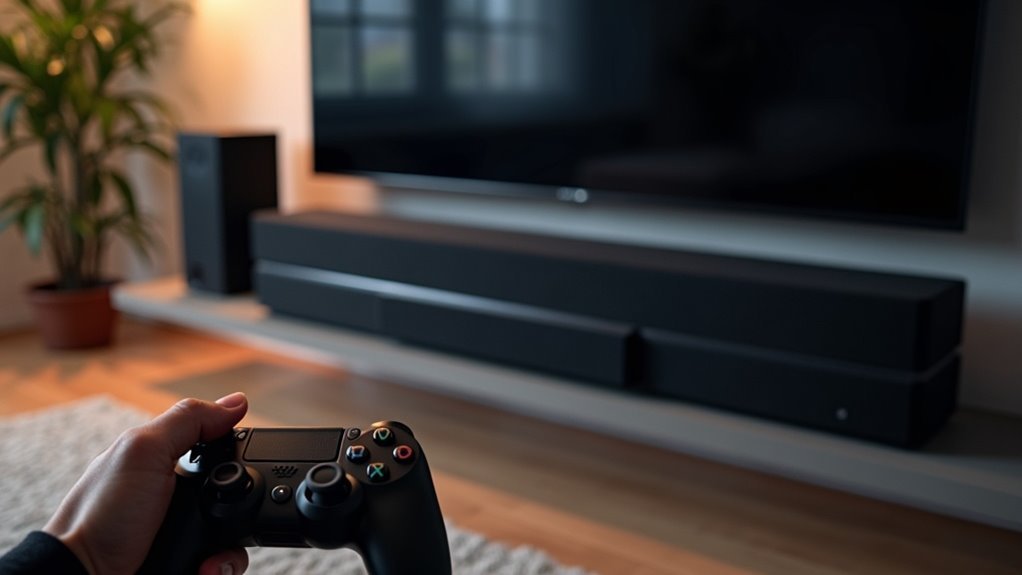
Using a soundbar typically adds minimal input lag to your gaming setup, usually fluctuating between 0.1 and 0.2ms. This small delay is often imperceptible, making soundbars a viable option for enhancing your audio experience without greatly affecting performance. Most direct connections to your TV maintain 0ms input lag. However, certain factors, like device compatibility and features, can influence results. For more insights on optimizing your soundbar setup, you might find additional details helpful.
Key Takeaways
- Soundbars generally have minimal impact on input lag, with fluctuations of only 0.1-0.2ms during gaming.
- Directly connecting a gaming console to the TV results in 0ms input lag, optimizing performance.
- Using HDMI ARC/eARC or optical connections can minimize audio latency when integrating soundbars.
- Disabling processing features on soundbars can help prevent unnecessary input lag during gameplay.
- Overall, soundbars do not significantly hinder gaming performance or introduce notable input lag.
Understanding Input Lag
Input lag is a critical factor to evaluate when contemplating your gaming experience, especially since it directly affects how responsive your actions are on screen.
Defined as the delay between pressing a button and the corresponding action appearing, input lag under 40ms is generally imperceptible. High input lag can hinder performance in fast-paced gaming, leading to frustration.
Interestingly, while soundbars enhance audio quality, tests show they don’t significantly impact input lag when integrated into your setup.
To ensure the best overall performance, always connect your gaming console directly to the TV via HDMI, minimizing any potential sluggishness in gameplay and allowing your soundbar to deliver an immersive audio experience without compromising responsiveness.
Testing Methodology
To accurately assess the impact of soundbars on input lag, a systematic testing methodology was employed, utilizing the Leo Bodnar input lag tester. This device outputs a flashing signal via HDMI to the TV for precise analysis.
First, a baseline input lag was established by connecting the gaming console directly to the TV, bypassing any AV components.
Subsequently, five different soundbars were tested individually. Results indicated that input lag scores remained consistent, with only minor fluctuations of 0.1-0.2ms observed, confirming minimal impact on performance from soundbars.
Testing five soundbars revealed negligible input lag variations of just 0.1-0.2ms, underscoring their minimal impact on gaming performance.
This assessment highlights the importance of soundbars in enhancing audio without compromising gaming performance.
Test Results
While evaluating the test results, it’s clear that soundbars have minimal impact on input lag during gaming sessions. The consistent performance of soundbars ensures that your gaming experience remains smooth, with only slight fluctuations of 0.1-0.2ms observed. Here’s a summary of the findings:
| Test Component | Input Lag Change |
|---|---|
| Direct TV Connection | 0ms |
| Soundbar Pass-Through | 0.1-0.2ms |
| Overall Performance | Minimal Impact |
These results suggest that soundbars won’t hinder your gaming setups, guaranteeing low audio latency and peak performance. Enjoy your games with confidence while enhancing your audio experience!
Caveats and Considerations
When considering input lag with soundbars, device compatibility plays a vital role; not all soundbars perform the same.
Enabling processing features can further exacerbate delays, so it’s wise to keep them off for ideal performance.
For the best audio experience, connecting your soundbar directly to the TV is recommended to minimize potential lag from additional audio processing.
Device Compatibility Issues
Although most soundbars are designed to enhance audio without significantly impacting input lag, compatibility issues with various devices can lead to unexpected delays.
Limited testing indicates that some soundbars may still introduce input lag. To ensure optimal sound performance for your setup, consider these points:
- Connect your soundbar directly to the TV for the best audio experience.
- Use HDMI ARC/eARC or optical connections to minimize lag.
- Disable any processing modes on the soundbar to avoid additional delays.
This information is vital for achieving peak audio performance with your soundbar.
Processing Features Impact
Enabling processing features on your soundbar can significantly affect input lag, particularly in fast-paced gaming scenarios.
These features may increase input lag by over 40ms, which can be noticeable and frustrating during gameplay. To ensure a smooth gaming experience, it’s advisable to disable unnecessary processing features on your soundbar.
Often, soundbars equipped with these modes introduce lag without delivering substantial quality improvements. Instead, using your soundbar set to pass-through mode helps maintain low input lag, optimizing compatibility with your gaming setup.
Prioritizing these settings will enhance your overall gaming performance while minimizing potential interruptions.
Direct Connection Recommendation
To maintain ideal sound quality and minimize audio lag, a direct connection to your soundbar is highly advisable, especially when using gaming consoles.
Connecting via HDMI can markedly enhance audio performance, often keeping latency low. Here are some considerations:
- Avoid passing through additional devices to prevent processing delays.
- Disable any sound enhancement features on your soundbar to improve audio responsiveness.
- Be aware that optical connections or ARC/eARC may introduce audio delays, requiring manual adjustments for synchronization.
Recommendations for Sound Quality Improvement
To enhance your sound experience with soundbars, consider optimizing your connection types, such as using HDMI ARC for better audio quality.
While soundbars are designed to improve sound clarity and depth compared to standard TV speakers, upgrading to higher-end models can further elevate your audio experience.
Optimize Connection Types
Choosing the right connection type for your soundbar can greatly enhance your audio experience while minimizing input lag.
For ideal sound performance, consider the following options:
- Optical connections: These are excellent for minimizing audio latency, making them especially useful if your TV lacks analog outputs.
- HDMI connections: Although they support Automatic Lip Sync Correction, be aware that some soundbars may still experience audio lag.
- Disable processing features: Turning off these features on AV receivers can help prevent unnecessary input lag without sacrificing sound quality.
Upgrade Speaker Systems
While upgrading your connection types can enhance your soundbar experience, investing in a high-quality soundbar can lead to even greater improvements in audio quality. Inexpensive soundbars may enhance TV sound but often lack the fidelity of more advanced models.
Consider soundbars like the Klipsch Cinema 600 for a significant boost in audio performance. For the best experience, look for soundbars that come with built-in subwoofers, as they typically outperform lower-end models, especially in sound quality.
Additionally, soundbars equipped with features like low latency modes can help eliminate audio lag, ensuring perfect sync for an ideal gaming experience. Always manage your expectations with budget soundbars regarding high fidelity and advanced features.
General Considerations for Gaming and Audio
When considering the impact of a soundbar on your gaming experience, it’s essential to understand how audio and video synchronization can affect performance. Here are some key points to keep in mind:
Understanding audio and video synchronization is crucial for enhancing your gaming experience with a soundbar.
- Enable game mode on your TV to minimize audio latency and maintain synchronization, ensuring a more immersive experience while gaming.
- High-quality soundbars typically offer low audio latency, particularly when utilizing pass-through modes, enhancing your overall audio experience.
- For optimal performance, prioritize minimizing picture delay over minor audio lag, as this can significantly impact your gaming responsiveness.







