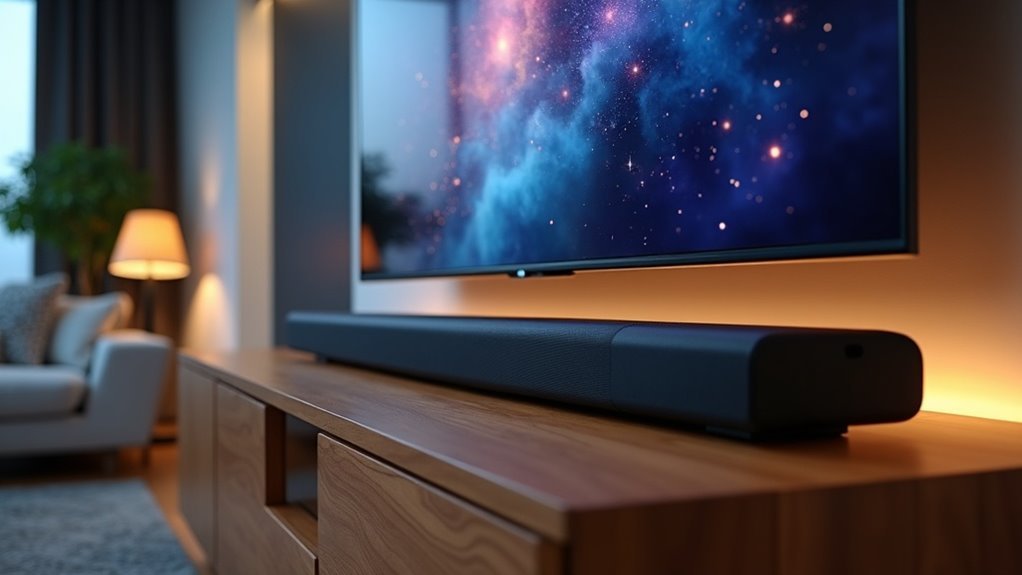
Yes, soundbars are compatible with Samsung TVs, significantly enhancing your audio experience. You can connect them using various methods such as HDMI, optical, Bluetooth, or Wi-Fi, depending on your preference. HDMI typically provides the best sound quality, while Bluetooth offers the convenience of a wireless connection. Soundbars enhance dialogue clarity and deliver a cinematic audio experience. For more tips on selecting and setting up a soundbar, continue exploring our website for information tailored to your needs.
Key Takeaways
- Samsung TVs are compatible with a wide range of soundbars from various brands, significantly enhancing the audio experience.
- Connection methods include HDMI, optical, Bluetooth, and Wi-Fi, with HDMI providing the best audio quality available.
- Soundbars enhance audio clarity and deliver a cinematic experience, often incorporating advanced audio technologies.
- For optimal setup, ensure compatibility with your TV’s connection options, and consider the soundbar’s size and design.
- If you encounter connection issues, troubleshoot by confirming the correct input sources and checking the device settings.
Understanding Soundbar Compatibility With Samsung TVS
When you’re looking to enhance your audio experience with a soundbar, understanding compatibility with your Samsung TV is crucial.
Samsung TVs are compatible with a variety of soundbars, including those from other brands, as long as they utilize universal connection methods such as HDMI, optical, Bluetooth, or Wi-Fi.
To ensure optimal sound quality, it’s important that both your Samsung TV and soundbar use the same connection method. For example, if you’re opting for a Bluetooth soundbar, your TV must also have Bluetooth support.
Additionally, check whether your specific Samsung TV model can take advantage of soundbar features like Dolby Atmos or surround sound to elevate your audio experience.
Connection Methods for Samsung Soundbars
To enhance your audio setup, knowing the connection methods for soundbars is key.
You can connect your soundbar using HDMI, which offers the best audio quality by transmitting sound digitally and minimizing latency.
Connecting your soundbar via HDMI delivers superior audio quality with reduced latency for an optimal listening experience.
If HDMI isn’t an option, an optical cable provides a reliable wired alternative for high-quality audio.
For a wireless experience, Bluetooth allows for easy pairing with your TV, though it may compromise sound quality.
Wi-Fi connectivity enables multiple device connections and can optimize your audio performance through compatible smart apps, giving you a more integrated experience, especially with rear speakers.
Benefits of Using a Soundbar With Your Samsung TV
Enhancing your audio experience is easy with a soundbar paired with your Samsung TV. By incorporating a soundbar, you can enjoy richer audio quality, clearer dialogue, and an immersive sound environment that surpasses the capabilities of built-in speakers. Samsung soundbars, such as the HW-Q990D, integrate effortlessly with your TV, boosting its overall performance.
| Benefit | Description | Key Feature |
|---|---|---|
| Enhanced Audio | Experience richer sound quality compared to built-in speakers | Q-Symphony compatibility |
| Improved Clarity | Enjoy clear dialogue and sound depth | Multiple connectivity options |
| Cinematic Experience | Discover exclusive audio features for a movie-theater feel | HDMI, optical, Bluetooth |
Transform your viewing experience with a soundbar for an authentic cinematic atmosphere!
Factors to Consider When Choosing a Soundbar
When selecting a soundbar for your Samsung TV, prioritize audio quality, connectivity options, and size and design compatibility.
Ensure that the soundbar fulfills your audio expectations and is compatible with your TV’s connection options, such as HDMI or Bluetooth.
Additionally, choose a model that complements your setup, whether it will be wall-mounted or placed on a stand, to enhance both sound performance and visual appeal.
Audio Quality Requirements
Choosing the right soundbar for your audio setup involves understanding various audio quality requirements that greatly influence your listening experience.
Look for models with advanced channel configurations, such as 5.1 or higher, to enjoy immersive sound. Soundbars equipped with Dolby Atmos technology provide a cinematic audio experience, delivering sound from all directions, including overhead.
Built-in surround speakers, like those found in the Samsung HW-Q990B, further enhance the immersive experience. Ensure your soundbar is compatible with HDMI ARC ports, as this connection minimizes latency and delivers clear, digital sound.
Additionally, consider your room size and seating arrangement to effectively maximize sound performance.
Connection Options Available
Understanding the various connection options available for soundbars is essential for optimizing your audio setup.
HDMI (ARC) is your best choice for superior audio quality, ensuring a seamless connection between your soundbar and TV.
If you prefer a wired solution, optical cables are reliable, transmitting digital sound without latency issues.
For a more convenient, wireless option, Bluetooth allows easy pairing with your soundbar, although it may compromise sound quality compared to HDMI or optical connections.
Additionally, Wi-Fi connectivity enhances your experience by enabling multiple device connections simultaneously, giving you flexibility in how you set up your audio system.
Choose wisely for the best results with your soundbar.
Size and Design Considerations
Selecting the right soundbar involves considering its size and design to ensure it fits seamlessly with your Samsung TV and enhances your room’s aesthetics. For example, curved soundbars are an excellent match for curved TVs, providing a cohesive visual experience. It’s important to measure your space to make sure the soundbar won’t obstruct other devices. Wall mounting is also an effective option for saving space while elevating your room’s décor.
| Size | Design |
|---|---|
| Compact | Straight |
| Standard | Curved |
| Large | Wall-mounted |
Keep these size and design considerations in mind to achieve optimal sound quality and maintain safety in your entertainment setup.
Popular Samsung Soundbar Models
When you’re looking to enhance your audio experience with a Samsung TV, consider some of the popular soundbar models that offer impressive features and compatibility.
The Samsung HW-Q990D stands out with its premium 11.1.4-channel setup and Dolby Atmos support. For a sleek option, the HW-Q900F provides 7.1.2-channel sound, while the compact HW-Q800F excels in smaller spaces with its 5.1.2-channel virtual surround sound.
All these soundbars work seamlessly with Q-Symphony technology, helping to improve audio clarity.
With multiple connection options like HDMI, optical, and Bluetooth, you’ll love the versatility these soundbars bring to your setup.
Enhancing Your Home Theater Experience
Upgrading your home theater experience with soundbars goes beyond just selecting the right model; it involves maximizing the synergy between your Samsung TV and audio equipment.
- Enjoy exclusive features like Q-Symphony, which allows for synchronized sound from both your soundbar and TV.
- Experience cinema-quality audio with advanced formats such as Dolby Atmos, enhancing your movie nights.
- Utilize flexible connection options like HDMI ARC, optical cables, or Bluetooth for a seamless and hassle-free setup with your soundbar.
Troubleshooting Common Connection Issues
Connecting your soundbar to a Samsung TV is usually a simple process, but you may face some common issues that can interrupt your audio enjoyment.
First, ensure that both the soundbar and the TV are powered on and the correct input source is selected. If you’re using an HDMI connection, verify that the cable is connected to the TV’s HDMI IN (ARC) port and the soundbar’s HDMI OUT (TV-ARC) port.
For optical connections, make sure to adjust the TV’s sound output settings to Audio Out/Optical. If you’re pairing via Bluetooth, confirm that the soundbar is in pairing mode and that it’s selected in the TV’s Bluetooth Speaker List.
Lastly, check that the soundbar isn’t muted and that the volume levels are appropriately set.
Expert Tips for Optimal Sound Quality
To achieve superior sound quality from your Samsung soundbar and TV, begin by selecting the optimal connection method—HDMI is recommended for the best audio fidelity.
Next, focus on positioning your soundbar effectively to reduce obstructions and improve sound projection.
If your devices are compatible, activate Q-Symphony technology to create a more immersive audio experience.
Choose Quality Connection Method
Choosing the right connection method is essential for achieving the best sound quality from your soundbar and Samsung TV setup. Here are some recommended options specifically for soundbar connections:
- HDMI Cable: This is the optimal choice for digital sound transmission. It minimizes latency and delivers superior audio quality, ensuring you get the most out of your soundbar.
- Optical Cable: A solid alternative if HDMI isn’t available. It ensures clear sound output and is widely compatible with many soundbars.
- Bluetooth/Wi-Fi: These wireless options offer convenience, letting you connect without cables. However, be aware that Bluetooth may impact sound quality and stability, while Wi-Fi allows you to connect multiple devices seamlessly.
Always ensure that both your soundbar and Samsung TV support your chosen connection method for hassle-free compatibility and the best performance.
Optimize Soundbar Placement
When optimizing soundbar placement for your Samsung TV setup, positioning is key to achieving an exceptional audio experience.
For ideal sound projection and clarity, ensure the soundbar is positioned at ear level when seated. It should be centered directly below or above the TV to promote balanced sound distribution.
Avoid placing it inside a cabinet, as this can hinder sound quality. If you choose to wall-mount the soundbar, angle it slightly downward toward the seating area to enhance immersion.
Lastly, keep the area around the soundbar free of obstructions to maximize sound travel and the effectiveness of any built-in surround sound features.
Use Q-Symphony Technology
While enhancing your sound experience with a soundbar, leveraging Q-Symphony technology can greatly elevate your audio performance when paired with a Samsung TV.
This innovative feature enables your soundbar and TV to work in harmony, creating a richer audio environment.
To maximize the benefits of your soundbar experience, consider these tips:
- Ensure both your Samsung TV and soundbar support Q-Symphony for optimal compatibility.
- Activate the feature through the TV’s audio settings to achieve peak performance.
- Enjoy enhanced dialogue clarity and immersive sound during movies or games, elevating your overall entertainment experience.







