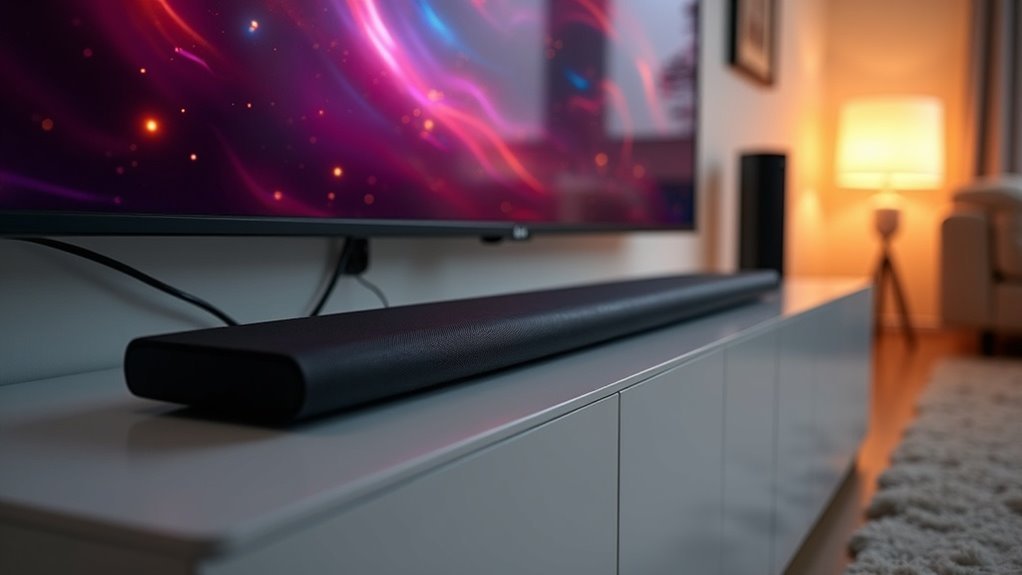
Most soundbars are compatible with LG TVs, connecting via Bluetooth, HDMI ARC/eARC, or optical connections. For the best audio experience, it’s recommended to use LG’s own soundbars, which feature WowOrchestra technology. While many users enjoy hassle-free setups, compatibility issues can sometimes occur with brands like Sony. To ensure optimal performance, check the connectivity options and make necessary adjustments in your TV settings. Explore more tips on enhancing your sound setup and troubleshooting potential issues to get the most out of your soundbar experience.
Key Takeaways
- Most soundbars are compatible with LG TVs, especially those that utilize HDMI ARC/eARC or optical connections.
- For optimal performance and features such as WowOrchestra technology, LG recommends using their own soundbars.
- It is common and often successful to pair soundbars from brands like Samsung with LG TVs.
- Certain compatibility issues may occur with specific brands, such as Sony, particularly after periods of inactivity.
- To resolve soundbar integration problems, ensure secure HDMI connections and adjust TV settings as necessary.
Compatibility Overview
When considering soundbar compatibility with LG TVs, it’s essential to understand the various connection options available. Most soundbars connect through Bluetooth, HDMI ARC/eARC, or optical connections, though compatibility can vary by model.
For optimal audio performance, LG recommends using their own soundbars, particularly those featuring WowOrchestra technology. While it’s possible to connect soundbars from other brands, such as Samsung, it’s crucial to verify compatibility for specific models.
Caution is advised when using soundbars from brands like Sony, as users have reported issues when devices are left off for extended periods. To ensure the best experience, always use the appropriate HDMI ports for seamless integration.
User Experience
Many users have successfully connected soundbars to LG TVs, often highlighting the straightforward setup process and the superior audio output quality.
For example, pairing a Samsung Dolby Atmos soundbar with an LG B2 via the HDMI eARC port frequently yields impressive sound experiences.
While most users report hassle-free installations over the past two years, some encounter difficulties, particularly with certain LG and Sony soundbars.
Typically, adjusting settings such as Simplink and selecting the external speaker option can help resolve these issues.
Manufacturer Guidance
While LG encourages using their soundbars with LG TVs to leverage features like WowOrchestra technology, it’s crucial to consider compatibility with other brands as well.
For optimal performance, always verify with the manufacturer regarding the specific soundbar model’s compatibility with your TV. This ensures that you’re making well-informed choices about your audio setup.
Always confirm your soundbar’s compatibility with your TV for the best audio experience.
LG’s customer care can provide assistance with setup guidance and troubleshooting through social media platforms, helping you achieve the best audio experience possible.
Additionally, remember that proper connection options, such as HDMI ARC/eARC, are essential for high-quality audio transmission.
Following manufacturer guidance is key to enhancing your overall soundbar setup safely and effectively.
Technical Specifications
Understanding the technical specifications of soundbars compatible with LG TVs is essential for maximizing your audio experience. Key features to evaluate include HDMI ARC/eARC for high-quality audio, supporting formats like Dolby Atmos. Bluetooth connectivity allows for wireless music streaming, while optical connections offer a reliable alternative when HDMI isn’t available.
| Connection Type | Key Features |
|---|---|
| HDMI ARC/eARC | Supports Dolby Atmos |
| Bluetooth | Wireless streaming |
| Optical | Digital audio transfer |
| HDMI 2.1 | 4K at 120Hz passthrough |
| DTS:X | Immersive sound |
Choosing the right specifications enhances both safety and performance in your soundbar setup.
Troubleshooting Steps
When you’re experiencing issues with your soundbar and LG TV, start by enabling the Simplink feature in the TV settings to enhance HDMI ARC functionality.
Next, verify that your HDMI connections are secure and that you’re using the correct ARC-labeled ports on your soundbar.
Finally, check the quality of your HDMI cables, as poor connections can lead to sound problems with your soundbar.
Enable Simplink Settings
To guarantee peak performance from your soundbar with your LG TV, enabling the Simplink settings is essential.
This feature enhances compatibility with HDMI-CEC devices, improving communication between your TV and soundbar.
Follow these steps:
- Navigate to the TV settings menu.
- Select ‘General’ and toggle the Simplink option to ‘On.’
- Set the audio output to ‘External Speakers’ in sound settings.
Make sure your soundbar is connected to the correct HDMI ARC port and check your HDMI cables for quality.
Proper setup maximizes the benefits of Simplink, leading to an optimal audio experience for your soundbar.
Check HDMI Connections
Checking your HDMI connections is essential for ensuring optimal sound quality from your soundbar with your LG TV. Start by connecting your LG TV to the soundbar using the HDMI ARC or eARC port for the best audio transmission. Enable Simplink (HDMI-CEC) in your TV settings to enhance communication between the devices. Set the sound output to external speakers in the audio settings. If you encounter any connectivity issues, consider toggling the HDMI control settings.
| Step | Action |
|---|---|
| 1. Connect | Use HDMI ARC/eARC port |
| 2. Enable Simplink | Activate HDMI-CEC in settings |
| 3. Set Sound Output | Choose external speakers |
| 4. Check Cable Quality | Ensure HDMI supports the 2.1 standard |
| 5. Toggle HDMI Control | Reset settings if sound issues persist |
Verify Cable Quality
Verifying the quality of your HDMI cable is essential for achieving optimal audio performance from your soundbar connected to an LG TV. A poor-quality cable can lead to significant connectivity issues, affecting your sound experience.
Here are some steps to ensure your HDMI cable is up to par:
- Use a high-speed HDMI cable that supports ARC/eARC specifications for the best audio transmission to your soundbar.
- Inspect the cable for any visible damage or wear, as this can interfere with audio signals.
- Ensure that the cable is securely connected to the appropriate HDMI ARC ports on both your soundbar and LG TV.
If you continue to experience sound issues, try testing the HDMI cable with a different device to determine if it’s malfunctioning.
Prioritizing cable quality will enhance your soundbar’s performance and provide a better audio experience.
Consumer Rights
Consumer rights play a crucial role in the soundbar market, particularly regarding compatibility issues with LG TVs. You expect soundbars labeled as ARC to work seamlessly with your LG TV, yet many consumers face functionality problems, especially with certain brands like Sony.
This frustration underscores the need for manufacturers to comply with the Consumer Electronics Control standard and provide clearer compatibility information.
When your soundbar fails to function after periods of inactivity, it raises significant concerns. As a consumer, you deserve transparency and effective solutions to ensure your soundbar operates reliably and safely within your home entertainment system.







