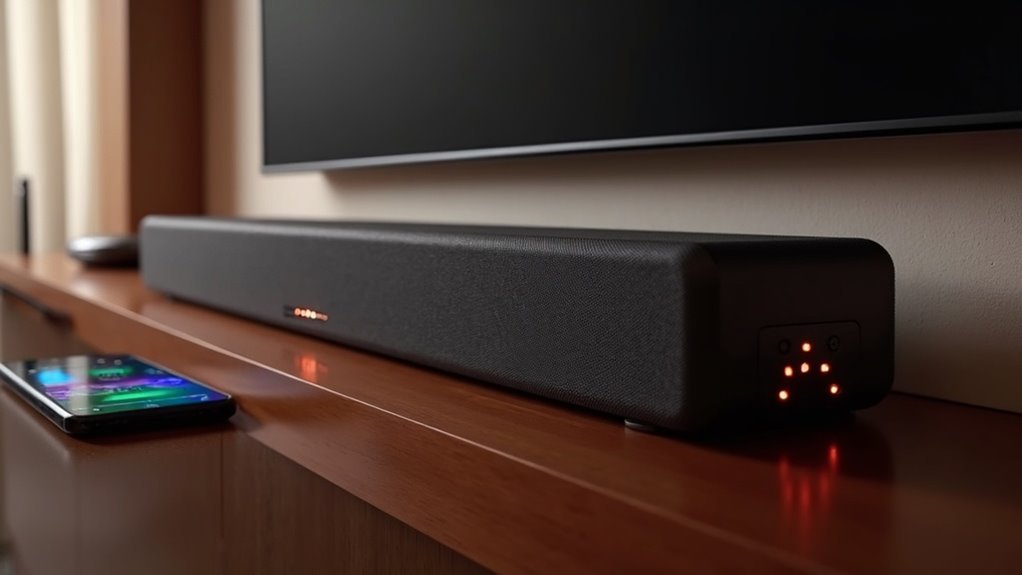
To stream hi-res lossless audio to your soundbar over Wi-Fi, ensure your soundbar is compatible with audio formats like FLAC or ALAC. Connect to a reliable Wi-Fi network with a minimum speed of 5 Mbps for optimal performance. Select a streaming service, such as Tidal or Apple Music, that provides lossless audio options. It’s also essential to keep your soundbar and router firmware updated to achieve the best sound quality. After completing the setup, check your audio settings to confirm they are configured for high-quality playback. Continue to explore additional tips to further enhance your streaming experience with your soundbar.
Key Takeaways
- Ensure your soundbar is compatible with hi-res lossless audio formats like FLAC or ALAC and has the latest firmware installed.
- Connect your soundbar to your Wi-Fi network with a minimum speed of 5 Mbps to ensure smooth streaming.
- Select a streaming service that provides lossless audio tracks, such as Tidal, Qobuz, or Apple Music, to enhance your listening experience with your soundbar.
- For optimal reliability, consider using a wired Ethernet connection, or place your router close to the soundbar to improve the Wi-Fi signal strength.
- Regularly review and adjust the audio settings in your streaming app to achieve the best playback quality through your soundbar.
Understanding Hi-Res Lossless Audio
Hi-res lossless audio represents the pinnacle of digital sound quality, and when paired with a high-quality soundbar, it enhances your listening experience to new heights.
Unlike lossy formats, hi-res lossless audio retains all audio information, ensuring you can hear every detail of the original recording. Compressed using codecs like FLAC or ALAC, this audio format maintains high-quality playback without excessively large file sizes.
Hi-res lossless audio preserves every detail of the original recording, offering a rich listening experience without large file sizes.
Key specifications, such as sample rates of 44.1 kHz or higher and bit depths of 16-bit or 24-bit, guarantee superior audio quality that soundbars can deliver.
Streaming services like Tidal and Apple Music offer tracks at CD quality and beyond, but to fully appreciate the richness of hi-res audio, investing in a quality soundbar is essential for peak enjoyment.
Requirements for Streaming to a Soundbar
To stream hi-res lossless audio to your soundbar, it’s essential to ensure compatibility by focusing on supported audio formats.
Additionally, your Wi-Fi network must meet bandwidth requirements, ideally with speeds of at least 5 Mbps.
Finally, choose a streaming service that offers lossless audio, such as Tidal or Qobuz, and ensure it’s compatible with your soundbar and other devices.
Soundbar Compatibility Check
When streaming high-resolution lossless audio to a soundbar, it’s crucial to first verify compatibility with various audio formats and technologies to ensure optimal sound quality.
Here are key considerations:
- Confirm support for high-resolution audio formats like FLAC or ALAC.
- Check for built-in Wi-Fi or support for Chromecast and Apple AirPlay.
- Verify that the soundbar’s firmware is updated for the latest streaming technologies.
- Look for optical audio output for high-resolution audio transmission.
- Ensure that your streaming service offers lossless audio options accessible through the soundbar’s interface.
Wi-Fi Network Requirements
Streaming high-resolution lossless audio to a soundbar requires a strong Wi-Fi network to ensure uninterrupted playback. Aim for a minimum speed of 5 Mbps, and consider using dual-band routers for optimal performance. The 5 GHz band is preferred to minimize interference. For the most reliable connection, a wired Ethernet setup is recommended. Regularly updating your router’s firmware is crucial for compatibility with your streaming devices. Additionally, ensure that your soundbar supports essential audio codecs like FLAC or ALAC for high-resolution playback.
| Requirement | Details |
|---|---|
| Minimum Speed | 5 Mbps |
| Router Type | Dual-band (2.4 GHz & 5 GHz) |
| Connection Type | Wired Ethernet recommended |
| Codec Support | FLAC or ALAC for hi-res playback |
Streaming Service Selection
Selecting the right streaming service is essential for enjoying hi-res lossless audio on your soundbar.
Consider the following criteria when choosing a streaming service that complements your soundbar experience:
- Supports lossless audio formats like FLAC, ALAC, or MQA
- Offers high-quality audio streaming up to 24-bit/192 kHz
- Provides popular music services such as Tidal, Qobuz, or Apple Music
- Compatible with apps that can cast or stream directly to your soundbar for seamless integration
- Ensures your router can handle the increased data demands of lossless audio for uninterrupted playback
Compatible Streaming Services for Lossless Audio
While choosing a compatible soundbar for lossless audio playback, you’ll find several options that enhance your listening experience.
Many soundbars now support Apple Lossless Audio Codec (ALAC) for seamless integration with Apple Music. Others, like those compatible with Amazon Music, can handle High Definition and Ultra High Definition sound starting at CD quality (16-bit).
Soundbars with Tidal’s HiFi subscription capability can deliver lossless audio and MQA tracks for studio-quality sound. Additionally, some models support Qobuz, providing a variety of high-resolution music files for audiophiles seeking superior audio quality.
Make sure your soundbar and Wi-Fi bandwidth can support these services for uninterrupted playback of high-fidelity audio.
Setting Up Your Soundbar for Hi-Res Audio
To set up your soundbar for hi-res audio, begin by connecting it to your TV using either an optical output or HDMI ARC port to ensure optimal audio quality.
Next, choose compatible streaming services such as Tidal or Qobuz that support lossless formats to enhance your listening experience.
This configuration allows you to stream high-resolution audio seamlessly over Wi-Fi, bypassing the limitations of Bluetooth and making the most of your soundbar’s capabilities.
Connecting via Optical Output
Setting up your soundbar for hi-res audio through the optical output can greatly enhance your listening experience. This connection supports uncompressed PCM audio, delivering high fidelity sound.
Follow these steps for the ideal setup:
- Verify that your soundbar is compatible with lossless audio formats.
- Use the optical audio output from your TV or audio device for optimal sound quality.
- Set your TV’s audio output to “Bitstream” or “PCM” to ensure proper transmission of audio signals.
- Confirm that your streaming services support lossless file formats, enhancing your audio experience.
- Regularly update your soundbar’s firmware to maintain compatibility and performance.
With these steps, you’ll enjoy superior audio quality that maximizes your soundbar’s capabilities and elevates your streaming experience.
Choosing Streaming Services
When choosing a streaming service for hi-res lossless audio to pair with your soundbar, it’s essential to ensure that the service provides formats compatible with your device, such as FLAC or ALAC. Popular services like Tidal and Qobuz offer these formats and can be accessed through their dedicated apps or Chromecast if your soundbar supports it.
| Streaming Service | Hi-Res Formats | Compatibility |
|---|---|---|
| Tidal | FLAC | Yes |
| Qobuz | ALAC | Yes |
| Spotify | No | No |
Additionally, make sure your soundbar connects to a stable Wi-Fi network for optimal performance, and verify the settings to enable lossless audio output.
Optimizing Audio Settings for Best Quality
To achieve the best audio quality while streaming hi-res lossless music to your soundbar, it’s essential to pay close attention to your device settings.
Here are some key aspects to focus on:
- Ensure your soundbar is capable of supporting lossless audio formats.
- Connect to a reliable Wi-Fi network that offers sufficient bandwidth for streaming.
- Adjust your audio output settings to utilize uncompressed PCM or lossless formats like FLAC.
- Choose compatible streaming services that offer high-resolution tracks, such as Tidal or Apple Music.
- Activate any high-resolution audio settings available in your streaming app.
By following these steps, you’ll significantly enhance your audio experience, allowing you to fully enjoy the richness and clarity of your music.
Don’t forget to regularly check for firmware updates for your soundbar to ensure optimal performance.
Troubleshooting Common Streaming Issues
While streaming hi-res lossless audio to your soundbar, you might encounter several common issues that can affect playback quality.
First, ensure your soundbar supports high-resolution audio formats, as many traditional models may struggle with lossless streams.
Next, check your Wi-Fi connection strength; a weak signal often results in interruptions and degraded audio quality.
Confirm that the streaming service you’re using supports lossless audio, and that your subscription includes access to high-resolution tracks.
Finally, if issues continue, try restarting both your soundbar and router. This simple troubleshooting step can greatly enhance connectivity and improve your overall streaming performance.







