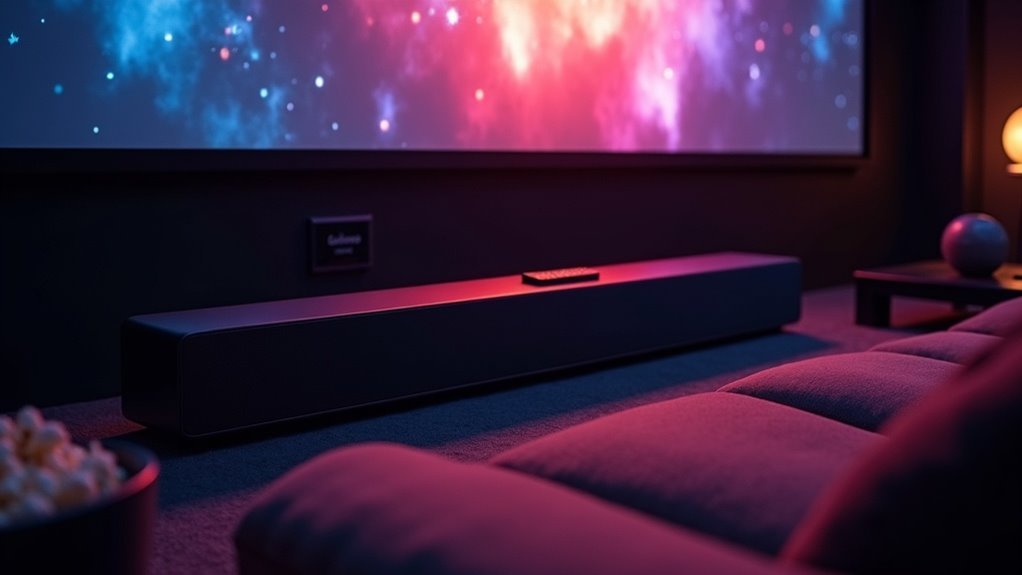
Yes, soundbars are excellent companions for projectors. They significantly enhance audio quality compared to built-in projector speakers, offering rich sound with deep bass and clearer dialogue. Their compact design and easy HDMI connectivity make them ideal for seamless integration into your setup. Soundbars provide versatile audio profiles tailored for movies, gaming, or music, transforming your viewing experience into something more immersive. Explore our website for additional insights on the best soundbar options and setup techniques to maximize your projector experience.
Key Takeaways
- Soundbars significantly elevate audio quality compared to built-in projector speakers, offering clearer dialogue and deeper bass for an enhanced viewing experience.
- They provide a compact solution that competes with mid-range surround sound systems, making them perfect for those with limited space.
- HDMI ARC connectivity streamlines the setup process and allows users to control audio with a single remote, adding convenience to your home theater experience.
- Soundbars create a more immersive audio environment, making them ideal for enjoying movies, gaming, and music with richer sound.
- Many users express higher satisfaction with soundbars, achieving a theater-like experience right in their own homes.
Understanding the Benefits of Soundbars for Projector Setups
When you’re setting up a projector, integrating a soundbar can significantly enhance your audio experience, especially if you want to avoid the limitations of built-in speakers.
Soundbars, such as the Yamaha YHT-S400BL, provide a compact, all-in-one solution that competes with mid-range surround sound systems. Their easy HDMI connectivity ensures a seamless setup, delivering high-quality audio alongside your video.
In larger rooms, soundbars produce loud, clear output while maintaining sound clarity, thereby enriching your home theater experience. With customizable sound profiles, you can tailor the audio for movies, gaming, or music, making soundbars a versatile choice for immersive enjoyment.
Comparing Built-in Projector Speakers and Soundbars
While modern projectors may come with built-in speakers that deliver decent audio for casual viewing, they often fall short when compared to the superior sound quality and immersive capabilities of soundbars.
Modern projectors may offer decent built-in audio, but soundbars provide unmatched quality and immersion for a superior experience.
Built-in speakers, such as those using CinemaMaster Audio+ 2 technology, can provide satisfactory sound, but they lack the deep bass and surround sound effects that soundbars excel at delivering.
Soundbars are designed to enhance your audio experience, particularly in larger spaces where built-in speakers may not perform optimally.
Moreover, soundbars come with versatile connectivity options, making it easy to integrate them into your setup without hassle.
For anyone seeking a truly immersive audio experience, opting for a soundbar is the clear choice over relying solely on built-in projector speakers.
How Soundbars Enhance Audio Quality
Soundbars significantly enhance audio quality, transforming your viewing experience far beyond what built-in projector speakers can provide. They ensure clearer dialogue and deeper bass, both crucial for an immersive media experience. Many soundbars utilize cutting-edge technologies such as Dolby Atmos to create a multi-dimensional soundstage. Their sleek design integrates seamlessly into your home theater setup, reducing cable clutter while delivering powerful sound.
| Feature | Benefit |
|---|---|
| Clear Dialogue | Improves understanding of spoken content |
| Deeper Bass | Enriches sound effects for a fuller experience |
| Multi-Dimensional Sound | Fosters an immersive audio environment |
| HDMI ARC Connectivity | Streamlines setup and control |
When selecting a soundbar, be sure it aligns with your specific audio needs for the best experience.
Options for Connecting a Soundbar to Your Projector
Connecting a soundbar to your projector can significantly enhance your audio experience in various effective ways.
The most efficient method is using HDMI, particularly HDMI ARC, which simplifies setup by allowing audio control through a single remote.
For digital audio, an optical audio cable (TOSLINK) is an excellent choice, as it transmits sound using light, thereby minimizing interference.
If you prefer a straightforward connection, a 3.5mm audio cable is available, but it only delivers stereo sound.
RCA cables can also be used, requiring matching red and white connectors, yet they’re similarly limited to stereo output.
Lastly, Bluetooth provides wireless convenience, although it may introduce latency that could affect your viewing experience.
Step-by-Step Guide to Connecting Your Soundbar
To successfully link your soundbar to a projector, follow these straightforward steps tailored to your preferred connection method.
For HDMI ARC, verify that both your soundbar and projector have compatible ports; power off both devices, connect a high-quality HDMI cable, and select HDMI ARC in the projector settings.
For optical audio, confirm the presence of optical ports on both devices, power them off, connect using an optical cable, then select optical audio in the settings.
If you’re using RCA, ensure that both devices have RCA ports, turn them off, connect the red and white cables, and choose RCA as the output option.
If you prefer using a 3.5mm audio cable, make sure it meets your audio needs.
For Bluetooth connectivity, enable wireless connections on both devices, but be cautious of potential latency issues.
Recommended Soundbars for Projector Use
When selecting the perfect soundbar for your projector, it’s essential to choose models that not only elevate audio performance but also fit seamlessly into your home theater configuration.
Choosing the right soundbar enhances audio performance and integrates effortlessly into your home theater setup.
Here are some top recommendations:
- Yamaha YHT-S400BL: Renowned for its straightforward installation and remarkable sound quality.
- Sony Soundbars: Equipped with HDMI inputs and Dolby Atmos technology for a truly immersive audio experience.
- Nakamichi Soundbars: Deliver robust sound output, making them ideal for larger spaces.
- Customizable Settings: Enable personalized audio settings for gaming, movies, or music.
These soundbars effectively reduce cable clutter while offering rich, high-quality audio, ensuring an enjoyable experience in your home theater setup.
User Experiences and Community Insights on Soundbar Integration
When integrating soundbars with projectors, you’ll experience notable enhancements in sound quality compared to standard speaker arrangements.
However, setup challenges may arise, particularly with connectivity and positioning within your environment.
Gaining insights from user experiences can empower you to find effective solutions, ultimately elevating your audio experience with soundbars.
Sound Quality Comparisons
Soundbars have become a favored solution for enhancing audio quality in various setups, particularly in home theaters and projector arrangements.
Users frequently express their satisfaction with soundbars due to the following reasons:
- Exceptional sound clarity and volume, capable of filling larger spaces effectively.
- Sleek designs from reputable brands like Yamaha and Sony, providing rich bass alongside crisp treble.
- A strong preference for soundbars over traditional bookshelf speakers, attributed to their straightforward installation and superior performance in compact areas.
- Positive experiences with HDMI connectivity, which significantly enhances the overall audio experience.
These observations underscore how soundbars can deliver impressive audio quality, even when positioned out of direct sightlines, making them an excellent choice for anyone looking to elevate their home theater experience.
Setup Challenges and Solutions
Integrating soundbars with projectors can present unique setup challenges, especially in spaces with limited mounting options or unconventional layouts. For optimal performance, users recommend choosing soundbars equipped with HDMI inputs for seamless connectivity, which significantly enhances your audio experience.
In larger rooms, soundbars can deliver impressive sound quality while simplifying installation and minimizing cable clutter.
However, it’s crucial to consider room dimensions and furniture placement, as these factors greatly influence sound distribution. To achieve the best audio experience, ensure the soundbar is positioned to direct audio toward seating areas.
Additionally, engaging with community forums can provide valuable insights and solutions tailored to your specific setup, further enhancing your enjoyment of soundbars.







