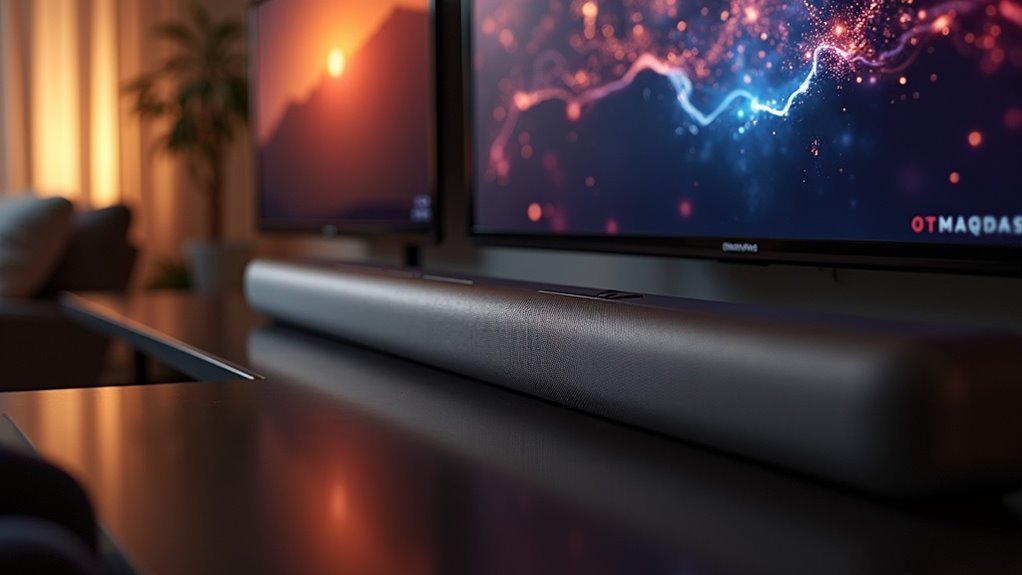
Yes, a soundbar can connect to two TVs, but it requires careful planning. You’ll need to evaluate various connectivity options like HDMI ARC and optical connections, as well as potential challenges such as manual input switching and audio signal routing. Some soundbars, particularly those from brands like Sonos and Yamaha, offer enhanced input selection features. With the right setup and choices, you can enjoy seamless audio for both TVs. Explore ideal solutions for your multi-TV audio setup and maximize your soundbar experience.
Key Takeaways
- A soundbar can connect to two TVs using HDMI ARC, optical connections, or Bluetooth, depending on the model’s capabilities.
- Competing audio signals may cause confusion, so using a switch or splitter can help manage connections effectively.
- Dual input configurations are recommended to simplify audio source selection without frequent manual switching.
- Brands like Sonos and Yamaha offer soundbars with better input selection features for seamless connectivity.
- Ensure both TVs support the required audio formats for optimal sound performance when connecting to a soundbar.
Understanding Soundbar Connectivity Options
When you’re looking to connect a soundbar to two TVs, understanding the available connectivity options is essential. Many soundbars offer multiple input methods, such as HDMI ARC and optical connections, providing versatility in setups.
However, some soundbars may only allow one input source at a time, which can complicate your usage. To simplify, consider using an HDMI switch or optical splitter, which allows you to manage sound input without the hassle of constantly unplugging cables.
Bluetooth is another option, but it may lead to lower audio quality and require switching between TVs. Always choose soundbars that support dual input configurations for optimal performance.
Challenges of Connecting a Soundbar to Two TVs
Connecting a soundbar to two TVs can be tricky, especially when competing audio signals lead to confusion.
Many soundbars struggle with multiple TVs, often defaulting to one input, which can disrupt your viewing experience. Users may need to manually switch inputs or utilize splitters, complicating audio management.
Additionally, using HDMI ARC and optical connections simultaneously can create routing issues. While optical splitters or HDMI switches can help, they may introduce compatibility challenges.
Certain soundbar brands, like Sonos and Yamaha, offer better input selection features, but they often require additional configuration to ensure smooth switching between your TVs.
Recommended Connection Methods
To connect a soundbar to two TVs effectively, consider using an HDMI matrix switch or an optical audio splitter.
These solutions simplify the process by allowing you to switch audio sources without confusion.
Each method ensures you enjoy clear sound from your soundbar without the hassle of complicated setups.
HDMI Matrix Switch
If you’re looking to enhance your audio experience, a soundbar paired with an HDMI matrix switch is an excellent solution for connecting to two TVs.
This setup allows you to connect multiple source devices and output audio to both displays, enabling you to enjoy sound from either TV without the hassle of swapping cables.
By connecting your soundbar to the HDMI output of the matrix switch, you can effortlessly choose which TV’s audio to play through the soundbar.
Just ensure that both TVs support the audio formats from the switch for optimal sound quality.
Many matrix switches also come with a remote control, making it easy to switch between sources and enjoy your soundbar experience without any complications.
Optical Audio Splitter
While enjoying your soundbar’s rich audio quality, an optical audio splitter can simplify your connection to two devices. This device allows for seamless audio management without complicated setups.
Here’s how to effectively use an optical audio splitter with your soundbar:
- Confirm that both audio sources support optical output for high-quality sound.
- Connect the optical outputs from each source to the splitter.
- Connect the splitter to your soundbar’s optical input.
- If available, use the switch feature to select which audio source’s sound to listen to.
Using an optical splitter guarantees a hassle-free experience while maintaining excellent sound quality. Enjoy your audio!
Selecting the Right Soundbar for Dual TV Use
When selecting a soundbar for dual TV use, it’s essential to focus on connectivity options such as HDMI and optical inputs.
Ensure that the soundbar is compatible with both TVs to avoid any setup issues.
Features like auto-sensing input technology can simplify the process of switching between TVs, ultimately enhancing your overall sound experience.
Soundbar Connectivity Options
Choosing the right soundbar for dual TV use involves understanding various connectivity options that can enhance your audio experience.
Here are some effective methods to consider:
- HDMI ARC for one TV and optical cable for the second.
- Use optical splitters to manage sound input smoothly.
- Look for soundbars with input selection features for easy switching.
- Consider Bluetooth connectivity for a wireless option, but be aware of the potential for cumbersome manual switching.
Always verify compatibility with each TV’s audio outputs to ensure optimal sound quality.
With these options, you can enjoy seamless audio from multiple sources with your soundbar.
Compatibility With Multiple TVS
Connecting a soundbar to two TVs requires careful consideration of compatibility to ensure a seamless audio experience.
First, verify that both TVs have compatible audio outputs, such as ARC or optical output. Many soundbars are designed with multiple inputs, allowing for connections to two TVs, but you might need to switch inputs manually.
Some models, like those from Sonos or Yamaha, facilitate easy switching through dedicated apps or remotes. Alternatively, utilizing an optical splitter can streamline the setup by connecting both TVs simultaneously.
If you opt for Bluetooth connectivity, keep in mind that switching sources may impact sound quality.
Prioritize compatibility for the best audio experience with your soundbar.
Tips for Seamless Audio Switching
To enjoy seamless audio switching between two TVs, consider investing in a soundbar with advanced audio switching capabilities. Here are some tips to guarantee smooth transitions:
- Ensure both TVs support HDMI ARC or optical outputs for compatibility with soundbars.
- Choose a soundbar that has multiple inputs and outputs to accommodate all your devices.
- Look for soundbars with built-in input selection features for effortless toggling between TVs.
- For optimal dual audio performance, consider using two identical soundbars that allow for independent volume control and settings adjustments.
Alternative Solutions for Multi-TV Audio Setup
While managing audio from multiple TVs can seem complex, several alternative solutions specifically related to soundbars can simplify your setup.
An optical splitter allows you to connect a single soundbar to two TVs, enabling quick audio switching without compromising sound quality.
If you prioritize peak audio performance, consider purchasing two identical soundbars—this approach avoids input confusion and allows for individual audio management for each TV.
An HDMI matrix switch is another effective option, enabling simultaneous audio output and effortless selection between TVs.
Just ensure that both TVs have compatible HDMI ARC or optical outputs for successful audio switching.
These soundbar-focused solutions can significantly enhance your audio experience while keeping your setup efficient and organized.







