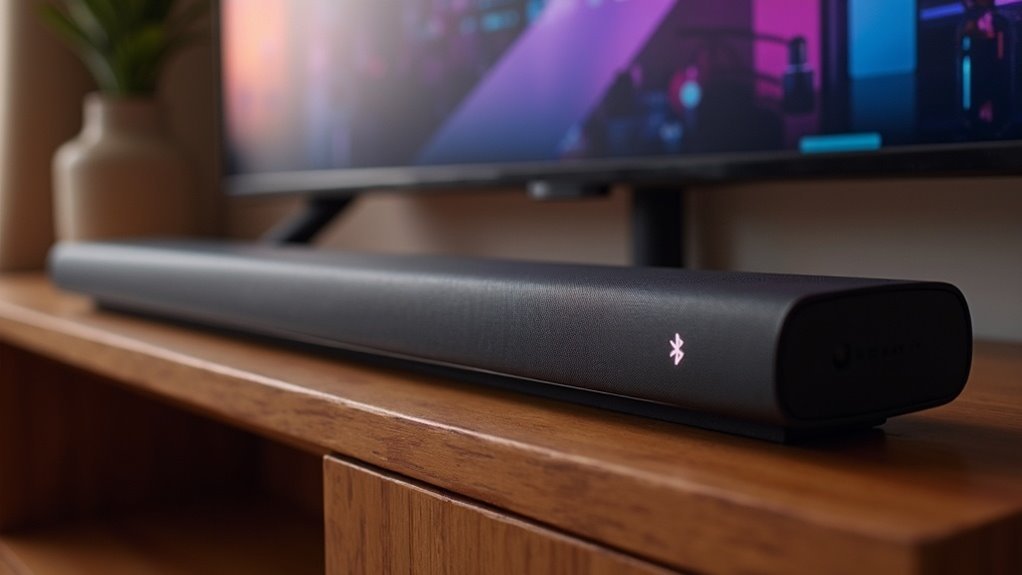
Yes, a soundbar can utilize Bluetooth aptX technology if both the soundbar and your transmitting device are compatible. AptX offers improved audio quality that approaches CD fidelity, while also minimizing latency, making it ideal for watching movies and gaming. To take advantage of these benefits, ensure that your devices meet the aptX compatibility requirements and that Bluetooth is activated. With these settings in place, you’ll enjoy enhanced sound quality from your soundbar. Learn more about optimizing your soundbar setup with aptX for the best performance.
Key Takeaways
- Yes, a soundbar can utilize Bluetooth aptX if it is equipped with the appropriate codec support.
- Both the soundbar and the Bluetooth source device need to be compatible with aptX for proper functionality.
- The aptX codec delivers CD-like audio quality and minimizes latency, making it ideal for movies and gaming.
- For optimal performance with aptX, ensure that the Bluetooth version is at least 4.0.
- After pairing your devices, check the audio settings to confirm that aptX is actively being used.
Understanding Bluetooth AptX Technology
When you stream audio from your soundbar via Bluetooth, understanding aptX technology can significantly enhance your listening experience.
This high-quality audio codec developed by Qualcomm delivers superior sound quality, providing CD-like audio fidelity over wireless connections. Supporting bit rates up to 352 kbps and sample rates up to 48 kHz, aptX enhances clarity compared to standard codecs like SBC.
Moreover, it minimizes audio latency, making it perfect for syncing sound during movies or gaming. Many modern soundbars, as well as smartphones and tablets, support aptX, ensuring versatility in your audio setup.
Embrace aptX with your soundbar for an enriched audio experience.
Benefits of Using Aptx With Soundbars
Integrating aptX technology with your soundbar offers a range of advantages that enhance your audio experience significantly.
By employing aptX, you can enjoy:
- CD-like audio quality via Bluetooth, ensuring an immersive sound experience.
- Noticeably reduced audio latency, making it ideal for watching movies and gaming.
- Higher bit rates, up to 352 kbps, for a richer sound reproduction.
- Improved device compatibility, allowing for seamless connections with various Bluetooth devices.
These benefits ensure a stable streaming experience, even in challenging wireless environments, delivering uninterrupted, high-fidelity audio.
With aptX, your soundbar transcends being just a speaker; it elevates your entire audio experience to an exceptional level.
Compatibility Requirements for AptX
To enjoy Bluetooth aptX with your soundbar, it’s essential that both the soundbar and your transmitting device support the aptX codec.
Confirm that your smartphone or tablet is compatible, as many Android devices come equipped with aptX support, while iOS devices mainly utilize AAC.
Additionally, ensure you’re within the effective Bluetooth range of approximately 30 feet for optimal audio quality.
Device Compatibility
For ideal audio quality with a soundbar featuring aptX, both the soundbar and your transmitting device, such as a smartphone or tablet, must support the aptX codec.
To ensure compatibility, consider the following:
- Check if your transmitting device is an Android model, as most support aptX.
- Note that iOS devices typically favor AAC over aptX.
- Ensure the Bluetooth version is at least 4.0 for effective performance.
- Verify that the specifications of both devices explicitly list aptX support.
For more information on soundbars and their features, explore our comprehensive guides and reviews.
Codec Support Requirements
Ensuring both your transmitting device and soundbar support the aptX codec is essential for achieving optimal audio quality. Many modern soundbars, along with smartphones and tablets, utilize this advanced codec, which maintains a bitrate of up to 352 kbps for superior sound clarity.
This is particularly important when streaming high-fidelity audio from various services. Additionally, aptX minimizes audio lag, making it ideal for watching movies or playing video games.
When selecting a soundbar, be sure to check its specifications for aptX support to guarantee compatibility with your devices, allowing you to fully enjoy the benefits of this wireless technology and enhance your listening experience.
Comparison of Bluetooth Codecs
When selecting a soundbar, understanding the differences between Bluetooth codecs is crucial for optimizing audio performance.
Here’s a brief comparison of the most common codecs:
- aptX: Provides CD-like audio quality with a bitrate of up to 352 kbps, making it ideal for immersive surround sound experiences.
- aptX HD: Capable of supporting 24-bit/48kHz audio, this codec enhances detail and clarity with a maximum bitrate of 576 kbps.
- aptX Adaptive: This codec intelligently adjusts its bitrate between 279 kbps and 420 kbps based on the quality of the connection, ensuring a smooth listening experience.
- SBC & AAC: While SBC is widely supported across devices, it offers lower audio quality. On the other hand, AAC provides a better balance of quality and stability, particularly for users of Apple devices.
Selecting the appropriate codec can significantly enhance your audio experience when using a soundbar.
Audio Quality Considerations With Aptx
When you select a soundbar equipped with aptX technology, you’re enhancing your audio experience with CD-like quality over Bluetooth.
This advanced codec supports bitrates up to 352 kbps, allowing for rich sound and improved detail, which is crucial for high-fidelity audio. You’ll appreciate the enhanced audio quality while streaming music and videos, enabling your soundbar to fully leverage high-quality sources.
Furthermore, aptX reduces audio lag, ensuring that sound remains in sync with visuals—an essential feature for movies and gaming. Its reliable performance across various room conditions makes aptX a dependable choice for any soundbar setup.
Setting up Your Soundbar With Aptx
Setting up your soundbar with aptX is a straightforward process that can dramatically enhance your audio experience. To get started, follow these steps:
- Verify that your soundbar and Bluetooth source device both support aptX to ensure optimal audio quality.
- Enable Bluetooth on your source device and put your soundbar into pairing mode, which is indicated by a specific LED light pattern.
- Select your soundbar from the list of available devices on your source device to establish a wireless connection.
- After pairing, confirm that aptX is in use by checking your audio settings.
Enjoy improved sound quality with reduced latency, making your audio experience truly exceptional with your soundbar.







