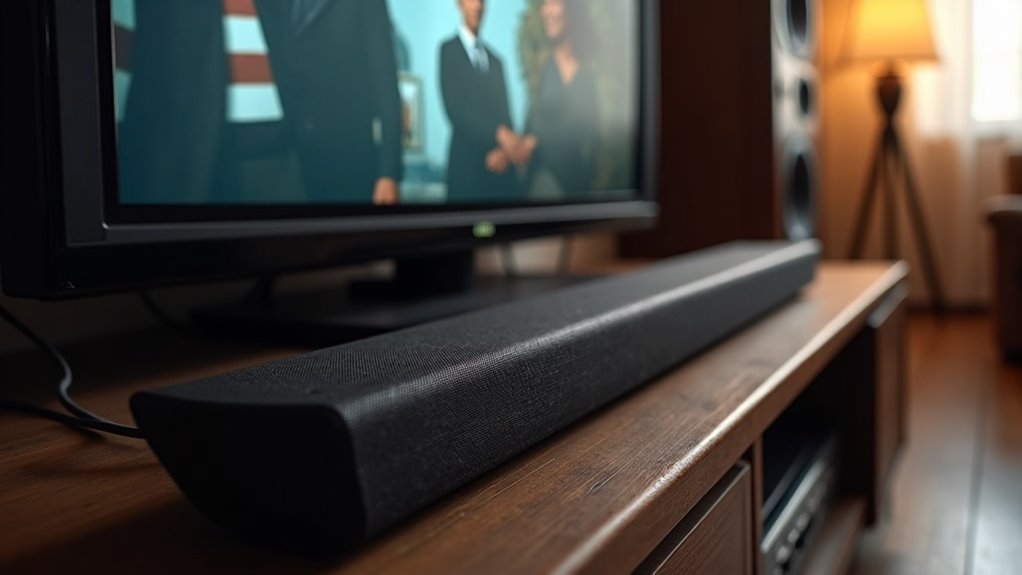
Yes, a soundbar can definitely work with non-smart TVs. You can connect it using Optical Digital Audio Output or RCA connections, which are common on older TVs. Many soundbars, like the LG SL4Y, include the necessary optical input for a seamless connection. If your TV has HDMI ARC, that’s the ideal choice for high-quality audio. Explore more about setup, connection methods, and enhancing your sound experience to get the most out of your audio system. Soundbars can significantly improve your TV’s audio, making your viewing experience much more enjoyable.
Key Takeaways
- Soundbars can connect to non-smart TVs using Optical Digital Audio Output or RCA connections for audio playback.
- The LG SL4Y Sound Bar is compatible with non-smart TVs via its Optical Digital Audio Input.
- HDMI ARC provides a high-quality audio connection if available on the TV, ensuring efficient sound transfer.
- Bluetooth streaming is possible if the TV supports it, allowing for a wireless connection to the soundbar.
- For optimal sound output when setting up the soundbar, adjust the TV’s audio settings and choose the appropriate cables.
Understanding Soundbar Compatibility With Non-Smart TVS
When considering a soundbar for your non-smart TV, it’s important to understand the available audio outputs on your TV. Many non-smart TVs have limited options, typically including Optical Digital Audio Output or RCA connections.
For example, the LG SL4Y Sound Bar features an Optical Digital Audio Input, making it compatible with TVs that support optical audio. Before purchasing a soundbar, check your TV’s ports to verify compatibility.
If your non-smart TV supports Bluetooth streaming, you can also connect the soundbar wirelessly for added flexibility. Proper setup and compatibility checks are vital for achieving peak sound performance and ensuring a safe, enjoyable experience with your soundbar.
Key Audio Output Options for Non-Smart TVs
Choosing the right audio output option is essential for connecting a soundbar to your non-smart TV. Non-smart TVs typically offer limited audio outputs, with Optical and RCA being the most common.
The Optical output, featuring a squarish opening, allows for high-quality audio connection directly to your soundbar, ensuring an enhanced audio experience.
If your TV has RCA outputs, look for the red and white ports to connect to the corresponding channels on your soundbar. In some cases, you may need additional adapters for compatibility.
Always verify your TV’s specific audio outputs to confirm a successful connection and achieve peak audio performance with your soundbar.
How to Choose the Right Soundbar
Finding the right soundbar for your non-smart TV can significantly elevate your audio experience. Here are key factors to consider for ensuring an ideal match:
| Feature | Recommendation | Notes |
|---|---|---|
| Audio Inputs | Optical or RCA | Verify compatibility with your TV |
| Room Size | Compact vs. Powerful | Select based on the size of your space |
| Audio Preferences | Built-in Subwoofers | Ideal for enhanced bass and surround sound |
| Cable Specifications | Included Cables | Ensure proper connection options |
Additionally, confirm that your soundbar is compatible with your TV’s audio settings, such as PCM or Dolby Digital, to achieve the best sound quality.
Connection Methods: HDMI, Optical, and Bluetooth
When connecting a soundbar to a non-smart TV, it’s important to consider a few key connection methods: HDMI, optical, and Bluetooth.
Each of these options has its own advantages and setup processes, so understanding what your TV supports is crucial for optimal sound quality.
Let’s delve into how to utilize these connections effectively to enhance your audio experience with your soundbar.
HDMI Connection Options
Connecting a soundbar to a non-smart TV may seem daunting, but it can be made straightforward with the right connection options.
If your TV is equipped with an HDMI ARC port, using an HDMI cable is the most efficient choice, as it allows audio transmission through a single cable.
For TVs that don’t have HDMI ARC, an optical cable serves as a dependable alternative, providing excellent sound quality.
Many soundbars also come with HDMI inputs, which allow you to connect devices like Blu-ray players or gaming consoles directly.
If neither of these options is available, consider whether your soundbar supports Bluetooth for a wireless connection.
Always ensure compatibility between your soundbar and TV to achieve a smooth setup.
Optical Cable Setup
To set up your soundbar using an optical cable, simply connect one end to the soundbar’s Optical Digital Audio Input and the other to your TV’s Optical Digital Audio Output. This guarantees a high-quality audio connection.
Keep in mind:
- The optical port on your TV has a squarish opening with notches.
- If your TV lacks an optical output, you can use RCA outputs with an RCA-to-3.5mm adapter.
- After connecting, make sure to adjust your TV settings to select the optical output.
- Most soundbars come with short optical cables, so you mightn’t need to purchase additional cables.
Enjoy enhanced audio for your entertainment experience with your soundbar!
Bluetooth Pairing Process
Setting up your soundbar with a non-smart TV can be easily done through Bluetooth, providing a convenient way to enhance your audio experience.
First, ensure that both your soundbar and TV are Bluetooth compatible. Activate the pairing mode on your soundbar, then use your TV remote to search for available devices.
For optimal performance, keep the soundbar and TV within 30 feet to reduce potential interference.
While Bluetooth facilitates seamless audio streaming, be aware that the sound quality may not be as high as that of wired connections like optical or HDMI. If you seek superior audio clarity, consider using an audio cable for the best results.
Setting up Your Soundbar With an Older TV
To set up your soundbar with an older TV, begin by examining your TV’s audio outputs to ensure compatibility.
Next, select a soundbar that corresponds with these outputs, such as one equipped with an optical digital input or RCA connections.
Finally, modify your TV settings to activate audio output through the chosen port, ensuring you achieve the best sound experience possible with your new soundbar.
Check Audio Outputs
Before you dive into connecting your soundbar to an older non-smart TV, it’s crucial to check the available audio outputs. Here’s what to look for:
- Optical Digital Audio: This provides clear sound quality, perfect for enhancing your audio experience.
- HDMI ARC: If your TV has this option, it simplifies connections and improves functionality.
- RCA Outputs: Look for the red and white ports, which are essential for stereo sound.
- 3.5mm Analog Input: A common feature in many soundbars, allowing for straightforward connections.
Utilizing the appropriate cables, such as optical cables or RCA-to-3.5mm Y-cables, ensures optimal audio connectivity.
Remember to adjust your TV’s audio output settings so that the soundbar can receive the signal correctly.
Enjoy elevating your audio experience with your new soundbar!
Choose Compatible Soundbar
Once you’ve checked your TV’s audio outputs, the next step is to choose a compatible soundbar that meets your needs.
For older TVs, ensure the soundbar has compatible audio inputs, such as Optical Digital Audio Input or RCA connections. Look for an Optical port on your TV for optimal sound quality.
If it’s not available, you can utilize RCA outputs, typically marked with red and white ports, and connect them to a soundbar with a 3.5mm analog input or an RCA-to-3.5mm cable.
Many budget soundbars priced under $200 offer these options, making the setup process simple for your older TV while ensuring excellent audio performance.
Adjust TV Settings
As you set up your soundbar with an older TV, adjusting the audio settings is essential for ideal performance. Here’s what you need to do:
- Check the TV’s audio output settings and switch to optical or RCA.
- Manually select the sound output to guarantee the soundbar is activated.
- Set the audio output to either ‘fixed’ or ‘variable’ based on your preference.
- Verify that connected devices are set to output compatible audio formats, preferably PCM.
Consult your soundbar’s user manual for specific settings to guarantee proper integration with your TV, enhancing your overall audio experience safely.
Troubleshooting Common Connectivity Issues
Connecting a soundbar to a non-smart TV can sometimes feel like navigating a maze of audio outputs and settings.
If your TV lacks an optical output, consider alternative connections such as HDMI ARC or RCA, though you may need adapters for compatibility.
When using Bluetooth, ensure your soundbar is in pairing mode and check that your TV supports Bluetooth connectivity.
It’s also important to review the audio settings on your TV; you may need to switch between fixed and variable options to achieve the best sound output.
If you encounter any issues, don’t hesitate to consult the user manuals for both your soundbar and TV.
These troubleshooting steps can greatly enhance your audio experience and elevate your entertainment enjoyment.
Enhancing Audio Experience With Virtualized Sound Modes
To elevate your audio experience beyond basic TV sound, incorporating a soundbar with virtualized sound modes can markedly transform how you engage with your favorite content.
Enhance your audio experience with a soundbar that offers virtualized sound modes for truly immersive entertainment.
With a soundbar supporting virtual surround, you can enjoy:
- Immersive audio that simulates sound from all directions
- Enhanced depth and clarity for movies and music
- Budget-friendly options under $200 with 3D sound capabilities
- Easy integration with non-smart TVs, requiring no additional speakers
Utilizing these advanced sound modes through a soundbar can greatly improve your listening experience, making every scene and note more engaging, despite your TV’s limited audio outputs.
Embrace the upgrade for a richer home theater experience!
Maintenance Tips for Longevity of Your Soundbar
Maintaining your soundbar is essential for ensuring its longevity and optimal performance. Follow these tips to keep your device in top shape:
| Maintenance Tip | Description |
|---|---|
| Keep it clean | Dust can damage components; regularly clean your soundbar. |
| Check connections | Ensure cables are securely connected to prevent signal loss. |
| Monitor volume levels | Avoid distortion by keeping volume at reasonable levels during use. |
| Guarantee proper ventilation | Place your soundbar in an open area to prevent overheating. |







