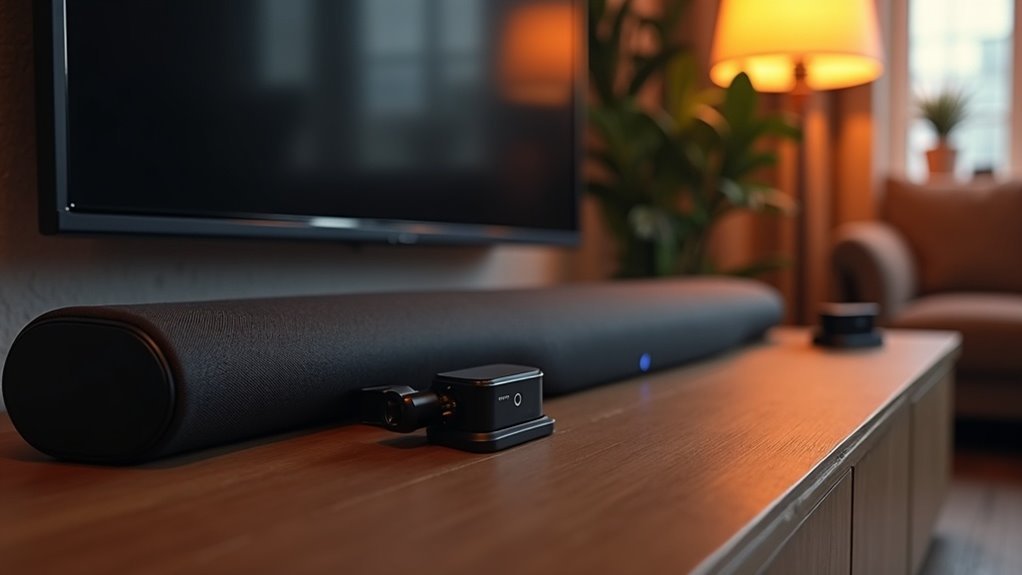
To use a soundbar with a Bluetooth transmitter adapter, first connect the transmitter to your TV using an optical or AUX cable. Set the TV audio output to PCM stereo to ensure minimal latency. Power on the transmitter and activate pairing mode to connect your soundbar. Make sure your soundbar is set to Bluetooth input. Once connected, you’ll enjoy seamless audio streaming without messy wires. Explore additional tips on optimizing your soundbar setup for the ultimate audio experience.
Key Takeaways
- Gather necessary equipment, including a Bluetooth transmitter, optical audio cable, and a power source for setup.
- Connect the Bluetooth transmitter to your TV’s optical audio output using the optical cable.
- Power on the transmitter and activate pairing mode to connect with your soundbar.
- Set your TV audio output to PCM stereo to minimize audio lag during playback.
- Ensure the soundbar is set to Bluetooth input mode for seamless audio streaming.
What Is a Bluetooth Transmitter?
A Bluetooth transmitter is a valuable accessory for anyone looking to enhance their soundbar experience by connecting non-Bluetooth devices, such as your TV or computer, to Bluetooth audio gear.
This device converts audio signals into Bluetooth signals, enabling you to enjoy high-quality sound through Bluetooth-enabled headphones or speakers.
Transform your audio experience by converting signals to Bluetooth, allowing high-quality sound through your favorite wireless headphones and speakers.
With multiple audio input options, including optical, 3.5mm AUX, and RCA, a Bluetooth transmitter provides versatile audio connectivity for your soundbar setup.
Many transmitters also support low-latency codecs like aptX LL, which significantly reduces audio lag—ideal for an immersive movie-watching experience.
Additionally, some models allow you to connect your soundbar while pairing two devices simultaneously for shared listening enjoyment.
Benefits of Using a Bluetooth Transmitter With a Soundbar
Using a Bluetooth transmitter with your soundbar unlocks a realm of enhanced audio experiences and convenience.
You can enjoy wireless connectivity that allows for seamless audio streaming from devices that lack Bluetooth capabilities, while also effortlessly switching between multiple devices.
Additionally, the flexible compatibility ensures that your soundbar setup remains versatile and clutter-free, elevating your overall home audio experience.
Enhanced Audio Experience
Connecting a Bluetooth transmitter to your soundbar opens up a world of enhanced audio experiences.
With wireless audio streaming, you can say goodbye to messy cables and enjoy a cleaner setup that complements your soundbar perfectly. This configuration allows you to switch effortlessly between devices, like headphones or mobile phones, enhancing versatility while enjoying your favorite shows or music.
Bluetooth transmitters featuring low-latency codecs, such as aptX LL, minimize audio delay, ensuring that sound and picture remain in perfect sync.
Moreover, using devices like the Avantree DG60 allows you to connect multiple Bluetooth devices simultaneously, making it ideal for shared audio experiences.
Optical connections with transmitters guarantee high-quality sound, reducing distortion for a superior listening experience through your soundbar.
Wireless Connectivity Convenience
The convenience of wireless connectivity enhances your soundbar experience when integrating a Bluetooth transmitter. You’ll enjoy a cleaner setup without messy cables and can achieve superior sound quality through an optical audio output.
Plus, a Bluetooth transmitter supports low-latency audio codecs, ensuring a stable connection and minimal delay.
- Easily reposition your soundbar for optimal acoustics.
- Connect multiple devices simultaneously, allowing you to switch between your soundbar and other audio gadgets effortlessly.
- Enjoy a seamless wireless audio setup, elevating your overall viewing experience.
With these advantages, you’re primed for a truly immersive home entertainment experience with your soundbar.
Flexible Device Compatibility
How can you enhance your audio experience with your soundbar while enjoying the flexibility of multiple devices? A Bluetooth transmitter is your key to seamless audio streaming from various sources to your soundbar.
With support for low-latency codecs, you’ll experience synchronized sound for movies and games. This setup allows you to connect gaming consoles, smartphones, and laptops, making device compatibility a breeze.
Plus, with options like optical, RCA, or 3.5mm audio inputs, you won’t be limited by your soundbar’s connectivity. The result? Greater placement flexibility for your soundbar, letting you optimize sound quality without worrying about tangled cables.
Step-by-Step Guide to Connect Your Soundbar to a Bluetooth Transmitter
Connecting your soundbar to a Bluetooth transmitter is straightforward if you have the right equipment.
In this guide, you’ll learn the essential steps for a seamless connection, along with tips to troubleshoot common issues specifically related to soundbars.
Let’s get started and enhance your audio experience with your soundbar!
Required Equipment Overview
Setting up your soundbar with a Bluetooth transmitter can greatly enhance your audio experience.
To ensure optimal performance, gather the following equipment:
- Bluetooth transmitter that supports optical audio input
- Optical audio splitter for simultaneous connections
- Stable power source for the transmitter to avoid lag
Once you have these, make sure your TV outputs audio in PCM stereo to minimize latency.
Also, confirm that your Bluetooth transmitter supports low-latency codecs like aptX LL.
This setup will provide you with clearer sound and a seamless listening experience. Enjoy the enhanced audio from your soundbar!
Connection Steps Explained
With your soundbar equipment ready, it’s time to connect it to the Bluetooth transmitter for an enhanced audio experience.
Start by connecting the Bluetooth transmitter to your TV’s audio output using an optical cable. Power on the transmitter and put it into pairing mode; you’ll see a flashing LED.
Next, activate pairing mode on your soundbar by pressing its Bluetooth button. Select your soundbar on the transmitter’s device list to establish the connection, confirmed by a beep or LED change.
Finally, adjust your TV’s audio settings to disable internal speakers, ensuring audio is output through the transmitter to your soundbar for the best sound quality.
Troubleshooting Common Issues
Troubleshooting common issues with soundbars can save you time and frustration when trying to connect your soundbar to a Bluetooth transmitter.
Here are some key steps:
- Confirm that your soundbar is set to Bluetooth input mode.
- Activate pairing mode on both devices and check the LED indicators for connection confirmation.
- If you experience audio lag, adjust your TV’s settings to output audio in PCM stereo and ensure your transmitter supports low-latency codecs like aptX LL.
Troubleshooting Common Connection Issues
When you’re trying to connect your soundbar with a Bluetooth adapter, it can be frustrating if things don’t go smoothly.
First, ensure both your soundbar and Bluetooth transmitter are powered on and in pairing mode. Check your soundbar’s audio input settings to confirm they match the correct source, either optical or HDMI-ARC.
Ensure your soundbar and Bluetooth transmitter are powered on and in pairing mode, and check the audio input settings for compatibility.
If you encounter audio delay, consider enabling Game Mode on your TV to minimize sync issues. Keep the Bluetooth transmitter and soundbar close to avoid signal interference.
Lastly, remember to regularly update the firmware on both devices to ensure optimal performance and compatibility.
Ensuring High-Quality Audio From Your Transmitter
Achieving high-quality audio from your soundbar involves selecting the right Bluetooth transmitter and ensuring it’s set up correctly.
To maximize audio clarity, consider these tips:
- Choose Bluetooth transmitters that support lossless codecs like aptX HD or LDAC for superior sound quality.
- Use an optical audio connection to bypass the TV’s internal DAC, which helps deliver cleaner sound.
- Disable any sound enhancement features on the TV to avoid conflicts and maintain audio purity.
Additionally, regularly updating your transmitter’s firmware is crucial for compatibility fixes and improved performance.
Comparing Bluetooth Transmitters: Features to Consider
As you explore soundbars, it’s essential to evaluate various features that can greatly influence your audio experience.
Look for models that support the latest audio technologies, such as Dolby Atmos and DTS:X, as they offer immersive surround sound. Low-latency codecs, such as aptX LL, can also enhance video enjoyment by minimizing audio lag.
Confirm the soundbar provides multiple connection options—HDMI-ARC, optical, and Bluetooth—to maximize compatibility with your devices. Consider those with dual pairing capabilities for connecting multiple Bluetooth devices simultaneously.
Finally, assess audio quality features, including support for high-resolution audio formats, to guarantee high-fidelity sound reproduction.
Tips for Optimizing Your Soundbar Setup
To enhance your soundbar setup, start by confirming that the optical audio output from your TV is securely connected to the Bluetooth transmitter adapter.
Next, adjust your sound settings to PCM stereo to prevent audio lag and guarantee compatibility.
- Position the Bluetooth transmitter close to the soundbar to minimize interference.
- Disable sound enhancements or virtual surround features on your TV for the best sound quality.
- Regularly update the firmware of both the soundbar and Bluetooth transmitter to improve performance.







