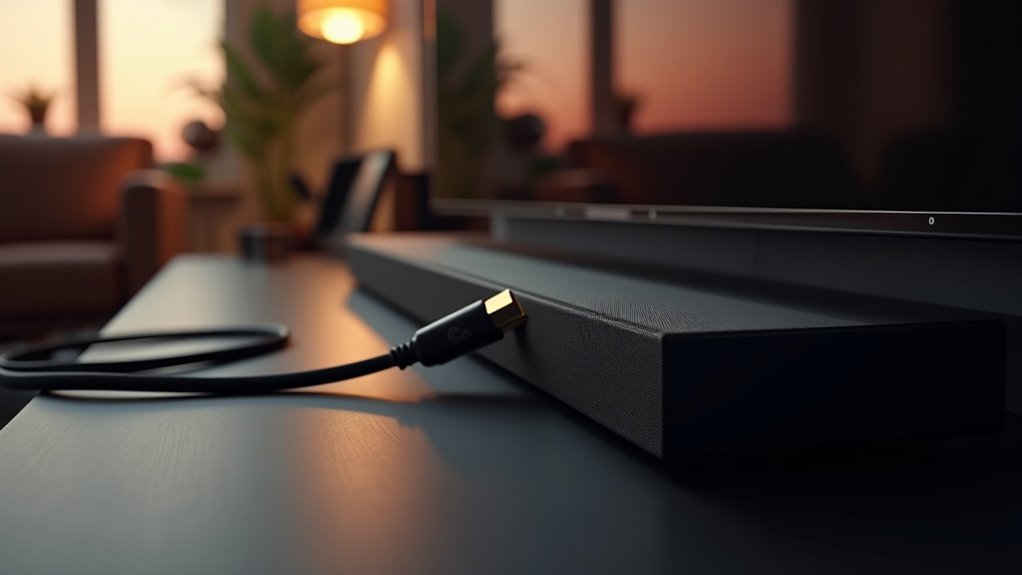
To ensure your soundbar with eARC capabilities delivers optimal performance, it’s essential to use Ultra High-Speed HDMI cables. These cables are designed to support advanced audio formats like Dolby Atmos and can manage the high bandwidth required for uncompressed audio signals. Regular High-Speed HDMI cables may not offer the same level of compatibility or performance, which could affect your sound experience. Always check that both your soundbar and TV are eARC compatible for the best audio experience. For more information on setup and the benefits of using eARC with soundbars, there’s a wealth of resources available.
Key Takeaways
- To ensure compatibility with eARC soundbars and achieve optimal performance, use Ultra High-Speed HDMI cables.
- HDMI 2.1 cables are essential for supporting eARC’s high bandwidth and advanced audio formats like Dolby Atmos.
- Verify that both your soundbar and TV are equipped with HDMI eARC sockets to take full advantage of eARC functionality.
- High-Speed HDMI cables may not effectively support eARC capabilities, so choose cables that comply with eARC specifications.
- eARC is backward compatible, enabling connections with non-eARC devices while still maintaining basic audio functionality.
What Is HDMI?
HDMI, or High-Definition Multimedia Interface, is an essential technology for optimizing your soundbar experience by facilitating the transmission of high-quality digital audio and video signals between devices like TVs and soundbars.
This standardized interface supports uncompressed audio and video, allowing for a streamlined setup with a single cable that minimizes clutter.
The latest version, HDMI 2.1, brings enhanced performance features such as eARC, which supports advanced audio formats for an immersive sound experience.
To fully leverage your soundbar’s capabilities, it’s crucial to use a High Speed HDMI cable, as HDMI is backward-compatible, enabling you to connect newer cables with older devices while maintaining peak audio quality and ensuring a safe and efficient setup.
Understanding HDMI Earc
Understanding HDMI eARC is essential for optimizing your soundbar setup.
To fully leverage the capabilities of your soundbar, ensure you’re using Ultra High-Speed HDMI cables that can support the increased bandwidth and access advanced features.
Additionally, recognizing the differences between eARC and its predecessor, ARC, will help you make informed choices for enhancing your audio experience with your soundbar.
Earc Cable Requirements
To fully leverage the benefits of eARC with your soundbar setup, you’ll need to ensure that your soundbar and TV are equipped with HDMI eARC sockets, which are commonly found on modern devices. eARC supports advanced audio formats, allowing for uncompressed audio transmission that enhances your listening experience. For optimal performance, it’s essential to use Ultra High-Speed HDMI cables to meet the bandwidth requirements of eARC.
| Feature | Requirement |
|---|---|
| HDMI Version | HDMI 2.1 or eARC compatible |
| Cable Type | Ultra High-Speed HDMI cable |
| Audio Formats | Dolby Atmos, DTS:X |
| Compatibility | Modern soundbars and TVs |
Earc vs. ARC Differences
While many users may find HDMI ARC sufficient for their soundbar audio needs, the advancements offered by HDMI eARC make it a compelling choice for those seeking superior sound quality.
HDMI eARC delivers considerably higher bandwidth, allowing uncompressed audio formats like Dolby TrueHD and DTS:X to be transmitted seamlessly to your soundbar. It supports up to 32 audio channels and 24-bit/192kHz audio, enhancing your listening experience.
Unlike HDMI ARC, which can use older HDMI 1.4 cables, eARC requires HDMI 2.1 cables for peak performance. Remember, both your TV and soundbar must support eARC for full compatibility and benefits.
Cable Requirements for Earc
To fully leverage eARC’s capabilities with your soundbar, you’ll need either High-Speed or Ultra High-Speed HDMI cables.
These types ensure that you meet the bandwidth requirements necessary for high-quality audio formats.
It’s also essential to check for HDMI 2.1 certification to guarantee peak performance and compatibility between your soundbar and TV.
Compatible HDMI Cable Types
When setting up your soundbar, selecting the appropriate HDMI cable is crucial for optimizing audio performance.
To ensure compatibility and achieve the best sound quality, consider these cable types:
- High-Speed HDMI cable: Suitable for standard audio and video formats.
- Ultra High-Speed cable: Ideal for eARC and uncompressed audio formats.
- HDMI 2.1 cable: Capable of handling higher data rates (up to 48Gbps) necessary for Dolby Atmos audio.
- Standard HDMI cables: May function, but mightn’t fully support eARC capabilities.
Always confirm that both your source device and soundbar are eARC compatible to fully enjoy the advantages of your audio setup.
Bandwidth Requirements Explained
Understanding the bandwidth requirements for HDMI eARC is essential for optimizing your soundbar’s audio performance. eARC requires cables that support higher data rates, specifically those rated as High Speed or Ultra High Speed, to ensure seamless compatibility with advanced audio formats. Utilizing HDMI 2.1-certified cables allows you to handle up to 48Gbps, which helps prevent audio dropouts and enhances sound quality with uncompressed audio.
| Cable Type | Bandwidth Support | Ideal Use |
|---|---|---|
| High Speed HDMI | Up to 18Gbps | Standard audio for soundbars |
| Ultra High Speed HDMI | Up to 48Gbps | Uncompressed audio for high-end soundbars |
| Standard HDMI | Up to 10.2Gbps | Basic functions for entry-level soundbars |
Testing Cable Performance
Testing the performance of your HDMI cables is crucial for optimizing the audio experience of soundbars, particularly those equipped with eARC.
To ensure compatibility and reduce potential issues, keep the following factors in mind:
- Use Ultra High-Speed HDMI cables certified for HDMI 2.1 features to take full advantage of advanced audio capabilities.
- Choose High-Speed HDMI cables that can handle uncompressed audio formats for the best sound quality.
- Verify that both your soundbar and TV are equipped with eARC-compatible HDMI ports for seamless audio transmission.
- Remember that older HDMI cables may result in audio dropouts or synchronization issues, affecting your overall soundbar performance.
Compatibility With Earc Soundbars
To ensure your soundbar setup delivers the best audio experience, it’s essential to use the right HDMI cables with your eARC soundbar.
Choose HDMI 2.1 certified cables that support bandwidth up to 48Gbps, ensuring compatibility with high-quality audio formats like Dolby Atmos and uncompressed audio.
Select HDMI 2.1 certified cables to guarantee compatibility with premium audio formats like Dolby Atmos and uncompressed audio.
While high-speed HDMI cables can work with eARC soundbars, make sure they’re HDMI 1.4 or later to support ARC functionalities.
Always look for eARC labels on both your soundbar and TV’s HDMI ports.
Avoid using standard HDMI cables, as they may not handle the higher bitrate of eARC, potentially degrading audio quality.
Investing in quality cables is crucial for optimal performance with your soundbar.
Benefits of Using Earc
Using eARC technology offers significant advantages for your soundbar setup.
You’ll experience superior sound quality and an immersive listening experience that enhances your home entertainment.
Here are key benefits:
- Supports uncompressed audio formats like Dolby TrueHD and DTS:X, ensuring cinematic sound.
- Allows for up to 32 audio channels with 24-bit deep audio transmission for richer audio depth.
- Simplifies connectivity by transmitting audio from multiple devices through a single HDMI cable, reducing clutter.
- Maintains original audio quality with high-bitrate audio format support for a more authentic experience.
With eARC, your soundbar delivers exceptional audio detail and depth, ensuring that every movie and song resonates like never before.
Recommended HDMI Cables for Earc
When selecting HDMI cables for your soundbar equipped with eARC, it’s crucial to focus on quality and compatibility.
The recommended options are Ultra High Speed HDMI and HDMI 2.1 cables, as they support bandwidths up to 48Gbps. This ensures optimal performance for advanced audio features like uncompressed formats such as Dolby TrueHD and DTS:X.
While High Speed HDMI cables may provide a connection, they often don’t fully support the capabilities of eARC. Always opt for cables certified as Ultra High Speed HDMI to guarantee compatibility and performance with your soundbar.
While backward compatibility is available, for the best audio experience, choose cables that adhere to the eARC standard.







