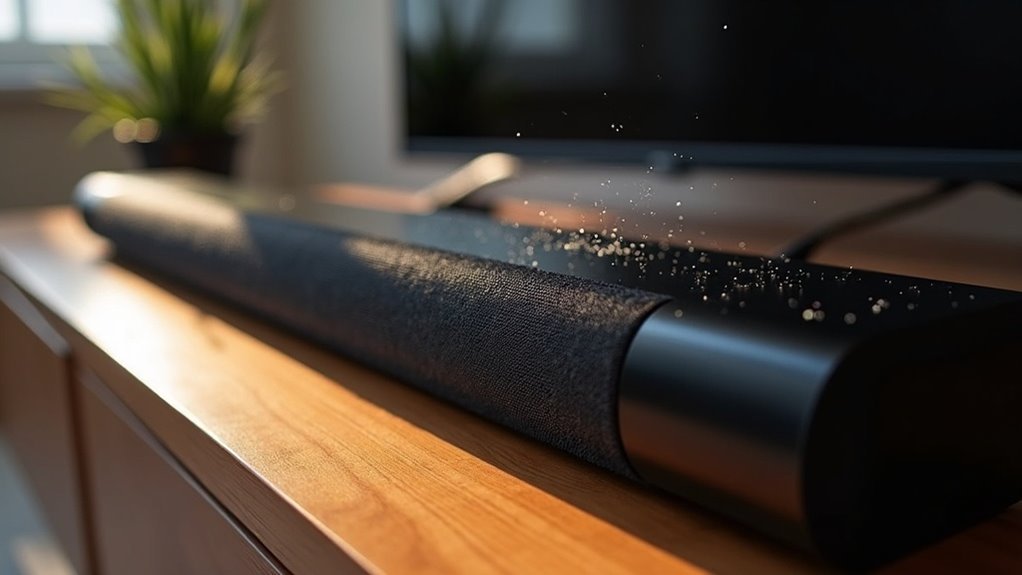
Soundbars can crackle due to weak signal connections, interference from nearby devices, or environmental factors affecting audio clarity. Loose HDMI or optical cables often disrupt signal transmission, leading to static noises. Additionally, wireless interference from routers can introduce unwanted sounds. The soundbar’s placement and proximity to other electronics also play a significant role in audio performance. By addressing these issues, you can greatly enhance your soundbar experience and enjoy clearer, uninterrupted audio. Further insights await to help you optimize your soundbar setup.
Key Takeaways
- Crackling sounds in soundbars often result from weak signals disrupting playback, which negatively impacts audio quality.
- Poor connections, such as loose HDMI or optical cables, can lead to inconsistent signal transmission and various audio issues in soundbars.
- Wireless interference from nearby devices or routers may introduce static and crackling noises during soundbar playback.
- Environmental factors, including the placement of furniture and proximity to other electronics, can affect sound clarity and may cause crackling in soundbars.
- Regularly inspecting connections and updating firmware for your soundbar can help prevent and resolve crackling issues.
Common Causes of Static Noise in Soundbars
When you experience static noise in your soundbar, it’s often due to a combination of factors that compromise audio quality. A weak signal from your TV can disrupt playback, leading to unwanted crackling sounds.
Additionally, poor connections, such as loose HDMI or optical cables, may result in inconsistent signal transmission, further degrading the sound experience.
Loose HDMI or optical cables can lead to inconsistent signal transmission, negatively affecting your overall sound experience.
Interference from nearby mobile devices or wireless routers can also introduce static noises.
Environmental factors, including furniture placement and proximity to other electronics, can negatively impact signal integrity.
To ensure optimal performance from your soundbar, regularly inspect and secure all connections while minimizing potential interference.
Troubleshooting Steps to Resolve Popping Sounds
To resolve popping sounds from your soundbar, begin by checking all connections between the soundbar and your devices to ensure they’re secure and undamaged.
Next, adjust the sound settings on your soundbar, as incorrect configurations can lead to audio issues.
Finally, test your soundbar with different audio sources to determine if the popping sound occurs universally or is specific to certain content.
Check Device Connections
One essential step in resolving popping sounds from your soundbar involves checking all device connections.
Ensure that the connections between your soundbar, TV, and any external devices are secure and properly plugged in. Inspect HDMI or audio cables for signs of damage, as faulty cables can lead to audio issues.
Additionally, keep your soundbar and connected devices away from electromagnetic interference sources like WiFi routers.
Test the soundbar with different audio sources to isolate the issue. If the popping persists, consider resetting the soundbar and re-establishing connections to eliminate temporary glitches, ensuring a seamless home theater experience.
Adjust Sound Settings
Adjusting sound settings can significantly reduce or eliminate popping sounds from your soundbar.
Start by fine-tuning the volume levels on both your soundbar and TV to ensure optimal audio balance. If you hear a popping noise, try lowering the soundbar’s volume using the remote. This adjustment can help mitigate crackling, especially if the audio source is too loud.
Additionally, ensure there are no obstacles between the soundbar and subwoofer, as this can improve signal clarity.
Lastly, consider switching from a wireless to a wired network connection to enhance audio stability and further reduce interference that may cause popping sounds.
Test Different Sources
When troubleshooting popping sounds from your soundbar, testing various audio sources is a crucial step in identifying the problem.
Begin by switching between different devices, such as your streaming device and Blu-ray player, to determine if the crackling occurs only during specific playback scenarios, like watching movies.
Then, experiment with different connection methods, including HDMI, optical, or Bluetooth, to see if a particular type of connection is causing the issue.
If you continue to experience popping sounds across multiple sources, it may indicate a fault with the soundbar itself.
Additionally, ensure that you’re using high-quality cables and secure connections, as these can help reduce connectivity issues that lead to crackling sounds during audio playback.
Environmental Factors Affecting Sound Quality
Although various factors contribute to sound quality, environmental elements play a crucial role in how well your soundbar performs.
Wireless interference from nearby routers and devices can introduce static and crackling noises, particularly if multiple devices operate on the same frequency.
Wireless interference from devices can cause static and crackling sounds, especially when multiple devices share the same frequency.
The distance between your soundbar and subwoofer is also important; placing them closer together generally results in clearer audio.
Additionally, the arrangement of your furniture and walls can impact sound propagation, potentially causing echoes or muffled audio.
If you continue to experience these issues, try relocating your soundbar away from other electronics to enhance its performance and minimize crackling sounds.
User Experiences With Soundbar Issues
You’ve likely encountered common complaints about soundbars, particularly crackling noises that disrupt your audio experience.
Many users have reported intermittent popping sounds, often linked to wireless interference or potential design flaws.
However, problem-solving efforts, such as repositioning equipment and upgrading cables, have proven effective in mitigating these issues, ensuring a better soundbar experience for all users.
Common Soundbar Complaints
Many users encounter various issues with their soundbars, primarily stemming from connectivity problems and audio inconsistencies. Common complaints include static noise and crackling sounds, often caused by poor connections or interference from nearby devices. Users also report difficulties with inconsistent audio levels, especially when switching between different types of content, which can disrupt the viewing experience. Additionally, many struggle to hear dialogue clearly, as soundbars may not adequately balance effects and speech. Problems with remote control responsiveness further frustrate users, while failures in firmware updates can hinder overall performance.
| Complaint Type | Frequency |
|---|---|
| Static Noise | High |
| Inconsistent Audio | Moderate |
| Remote Control Issues | High |
Problem-Solving Experiences
When users experience crackling noises from their soundbars, they often employ various strategies to restore audio clarity.
Many find that repositioning the soundbar and subwoofer, ensuring they’re placed away from potential wireless interference, significantly improves sound quality.
Users also report that switching the audio source can affect performance, particularly with certain TV models.
Additionally, performing a reset and following the Easy setup process frequently resolves persistent crackling issues.
Unfortunately, many express frustration with insufficient manufacturer support for ongoing problems, especially after the warranty period, leaving them to seek effective solutions independently.
Long-term Reliability of Soundbars
While soundbars can significantly enhance your audio experience right out of the box, their long-term reliability can be a concern for many users. Reports of persistent audio issues—such as crackling and popping sounds—often surface shortly after purchase, and these problems can continue despite troubleshooting efforts.
This inconsistency in long-term product reliability indicates that soundbars may not sustain their initial performance quality, which can lead to user dissatisfaction. Additionally, once the warranty expires, many users find themselves facing challenges with repairs, as soundbars often experience a decline in sound quality after the warranty period.
Therefore, when considering an investment in a soundbar, it’s crucial to assess long-term reliability, as many users have encountered diminishing audio performance over time.
Additional Recommendations for Optimal Performance
To achieve peak performance from your soundbar, it’s essential to implement several key strategies that can greatly enhance audio quality and stability.
First, switch to a wired network connection to minimize interference. Regularly check for firmware updates, as these often fix sound quality issues specific to soundbars.
Switching to a wired network connection and keeping firmware updated can significantly enhance your soundbar’s audio quality.
Utilize high-quality HDMI cables to guarantee a strong audio signal, reducing crackling sounds that can detract from your audio experience.
Position your soundbar and subwoofer away from devices that may cause electromagnetic interference, ensuring clear sound transmission.
Finally, perform a reset and reinitialize the setup process to eliminate glitches that might affect performance.







