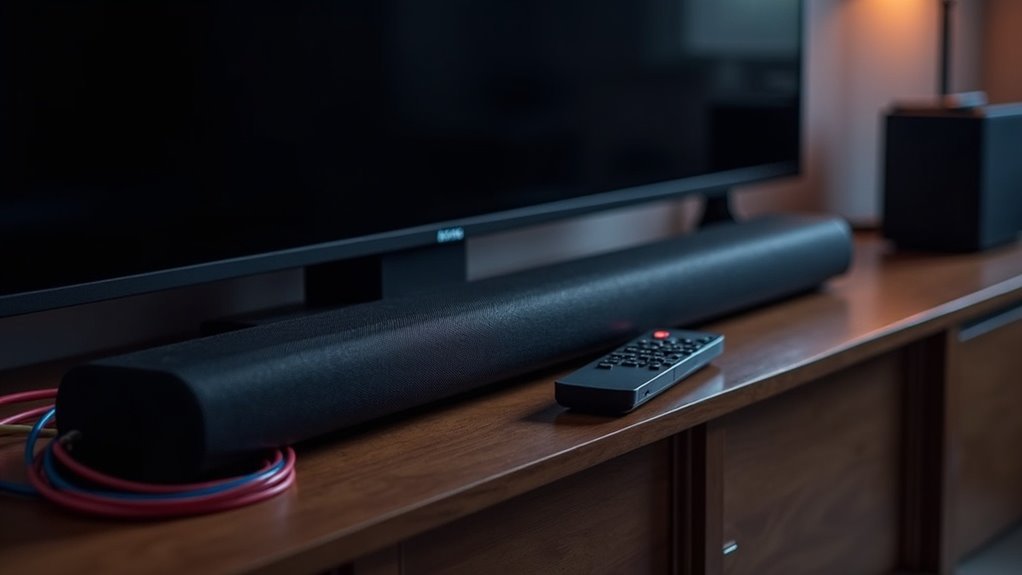
If your soundbar won’t turn on with your TV, check several factors. Improper HDMI ARC connections or disabled CEC settings can disrupt functionality. Make sure the soundbar is correctly plugged into a power outlet, as power supply issues often cause problems. Verify that you’re using the right HDMI port and cable. Additionally, you might need to update the firmware to avoid glitches. There are further troubleshooting steps available that can help resolve these issues efficiently. For more information on soundbar compatibility and setup, explore our dedicated resources.
Key Takeaways
- An improper HDMI ARC connection may disrupt the soundbar’s ability to power on automatically with the TV.
- Disabled HDMI-CEC settings on either device can prevent synchronization and auto power-on functionality.
- Power supply issues, such as loose cables or faulty outlets, can hinder the soundbar from turning on.
- Using an optical cable instead of HDMI can limit features like auto power-on due to lack of CEC support.
- Outdated firmware on either device may cause glitches affecting the soundbar’s operation with the TV.
Common Reasons for Soundbar Not Turning On
When your soundbar refuses to power on with your TV, it can be frustrating, especially when you expect seamless integration.
Common reasons for this issue include improper HDMI ARC connection or disabled CEC settings, which can inhibit automatic synchronization between devices. If the soundbar’s power-saving mode is activated, it won’t turn on automatically, requiring manual activation instead.
Additionally, using an optical cable instead of HDMI may prevent this feature from functioning correctly. Lastly, firmware issues in either the soundbar or the TV can lead to glitches that disrupt the intended power-on functionality.
To ensure optimal performance and safety while using your soundbar, regularly check connections and update firmware as needed.
Importance of HDMI ARC Connection
Understanding the importance of an HDMI ARC connection can greatly enhance your soundbar experience. HDMI ARC simplifies your setup by allowing a single cable to transmit audio output from your TV directly to your soundbar.
When configured correctly, it can automatically power on your soundbar when you turn on the TV, eliminating the need for manual intervention. For ideal performance, ensure that both your TV and soundbar support HDMI ARC and that the Consumer Electronics Control settings are enabled.
If your soundbar isn’t functioning properly with the TV, check for incorrect settings, faulty cables, or necessary firmware updates.
This connection not only improves convenience but also guarantees high-quality audio delivery, making your soundbar experience even more enjoyable.
Checking HDMI-CEC Settings
To ensure your soundbar automatically powers on with your TV, you need to enable the HDMI-CEC feature on both devices, as it may be disabled by default.
Additionally, make sure to select the correct input source on your TV that corresponds to the HDMI port connected to the soundbar.
If you’ve done this and the issue persists, consider checking the cable connection and power cycling both the soundbar and TV for improved communication.
Enabling HDMI-CEC Feature
Enabling the HDMI-CEC feature is crucial for ensuring your soundbar powers on automatically with your TV. This technology allows seamless communication between devices connected via HDMI.
To activate it, navigate to your TV’s settings menu, typically found in sections labeled “System,” “HDMI,” or “External Devices.” Look for HDMI-CEC options, which might be referred to by different names such as Anynet+ or Bravia Sync.
Once you enable HDMI-CEC on both your TV and soundbar, make sure the HDMI cable is connected to the appropriate input, specifically the HDMI ARC port.
If you encounter any issues, try power cycling both devices and check for firmware updates to improve compatibility and ensure optimal performance.
Input Source Selection
After ensuring that the HDMI-CEC feature is enabled on both your TV and soundbar, the next step involves checking the input source selection on your soundbar.
Make sure your soundbar is set to the correct HDMI input that corresponds with the TV’s audio settings. If your soundbar isn’t automatically switching, it may be due to an incorrect input selection.
Also, verify that the HDMI cable is firmly connected to the HDMI ARC port on both your soundbar and TV, as this connection is essential for CEC functionality.
If issues persist, consider power cycling both devices and updating their firmware to enhance compatibility and performance for your soundbar experience.
Outdated Firmware Issues
Outdated firmware on your soundbar can significantly hinder its compatibility with your TV, which may result in features like auto power-on not functioning as intended.
Regularly updating your soundbar’s firmware is crucial, as manufacturers provide fixes and enhancements that improve communication between your devices.
If you encounter issues, it’s important to troubleshoot the update process to restore optimal performance and ensure access to advanced features.
Firmware Update Importance
When your soundbar fails to turn on with your TV, one of the vital factors to consider is the firmware version running on your soundbar. Outdated firmware can lead to compatibility issues, especially with features like HDMI ARC and CEC, which are essential for automatic power-on functions.
Regular firmware updates are crucial, as they include bug fixes and performance improvements that can resolve power-on problems. Manufacturers frequently release updates to support new technologies and enhance functionality.
To ensure optimal performance and compatibility with your TV, you can check for firmware updates through your soundbar’s settings or the manufacturer’s website.
Compatibility With Devices
While you might expect seamless operation between your soundbar and TV, compatibility issues often arise due to outdated firmware on either device.
If your soundbar or TV lacks the latest firmware updates, features like HDMI ARC or CEC may malfunction, hindering proper communication.
Older soundbar models mightn’t support newer HDMI standards, which can result in problems with power commands from your TV.
It’s crucial to regularly check for firmware updates from manufacturers to resolve known bugs and enhance compatibility.
Ensuring both your soundbar and TV are updated and compatible with the same HDMI standards can significantly improve your soundbar’s responsiveness when powering on with the TV.
Troubleshooting Update Problems
Firmware issues can often complicate the relationship between your soundbar and TV, particularly if one of the devices hasn’t been updated in a while. Outdated firmware can lead to compatibility problems, making troubleshooting essential for soundbar users.
Here’s how to tackle this:
- Check for Updates: Visit the soundbar manufacturer’s website or app for firmware updates.
- Follow Instructions: Refer to the user manual for your soundbar for specific update guidance.
- Regular Maintenance: Verify that your soundbar and TV are consistently updated to avoid connectivity issues.
Keeping your soundbar’s firmware current guarantees peak performance and enhances your audio experience, safeguarding against potential issues that may arise from outdated software.
Input Selection Conflicts
If your soundbar isn’t turning on with your TV, input selection conflicts might be the issue.
Ensure the input on the soundbar corresponds with the TV’s audio output; otherwise, sound won’t transmit properly. Check that your HDMI ARC connection is securely established and that the HDMI ARC setting on your TV is enabled.
Also, don’t underestimate the significance of CEC settings, as they need to be activated for automatic power-on functionality.
If problems continue, power cycling both the TV and soundbar can help resolve temporary conflicts, facilitating smooth communication between the devices.
Malfunctioning HDMI Cables
When a soundbar fails to turn on with your TV, malfunctioning HDMI cables could be the culprit behind the issue.
Here are key considerations specifically for soundbar users:
- Damage: Regular wear and tear can harm your HDMI cables, leading to connectivity failures that affect your soundbar’s performance.
- Quality: Always use high-quality HDMI cables that are compatible with HDMI ARC (Audio Return Channel) for optimal audio communication between your TV and soundbar.
- Testing: If your soundbar isn’t functioning properly, test it with a different HDMI cable to determine if the original is malfunctioning.
Regularly inspect your HDMI cables for signs of damage and ensure secure connections to maintain audio functionality and prevent issues with your soundbar.
Power Supply and Cable Troubleshooting
Power supply issues are often the primary reason soundbars fail to power on with your TV.
Start by checking the power cable for any damage or loose connections, as a compromised cable can prevent proper power flow to your soundbar. Ensure that your soundbar is plugged into a compatible power outlet; trying a different outlet may resolve the issue.
If your soundbar features HDMI ARC, confirm that both the soundbar and TV support CEC, and that this feature is enabled in the settings for optimal performance.
Finally, inspect any power indication lights on the soundbar to help determine if the problem lies with the power source or the soundbar itself.
Additional Troubleshooting Steps
Several additional troubleshooting steps can assist you in resolving issues with your soundbar not turning on with your TV.
- Check HDMI Connection: Ensure your soundbar is connected to the correct HDMI ARC port, as standard HDMI ports may not support automatic power on.
- Enable CEC Settings: Confirm that the CEC feature is activated on both your soundbar and TV to allow for proper communication between the devices.
- Inspect Power Supply: Verify that the power adapter is securely connected, look for any indicator lights on the soundbar, and attempt to use the power button to turn it on.
If problems persist, you may perform a power cycle by unplugging both the soundbar and TV for at least 10 seconds to reset the connection.







